

Featureschakra ticketing
How to Raise a Ticket in Chakra
📝Raising a Support Ticket in Chakra
Got an issue, idea, or request? With Chakra, raising a support ticket is quick and simple, so you can get help or share feedback in no time.
🚀 How to Raise a Ticket
- Open the Chakra application and head to Help & Support.
- Click "Raise a Ticket" to start.
- In the Title field, give a short, clear summary of your issue or request.
- In the "Describe your issue below" box, explain what’s going on in detail.
- You can attach images by clicking the
+icon. - Click "Create" to submit your ticket
[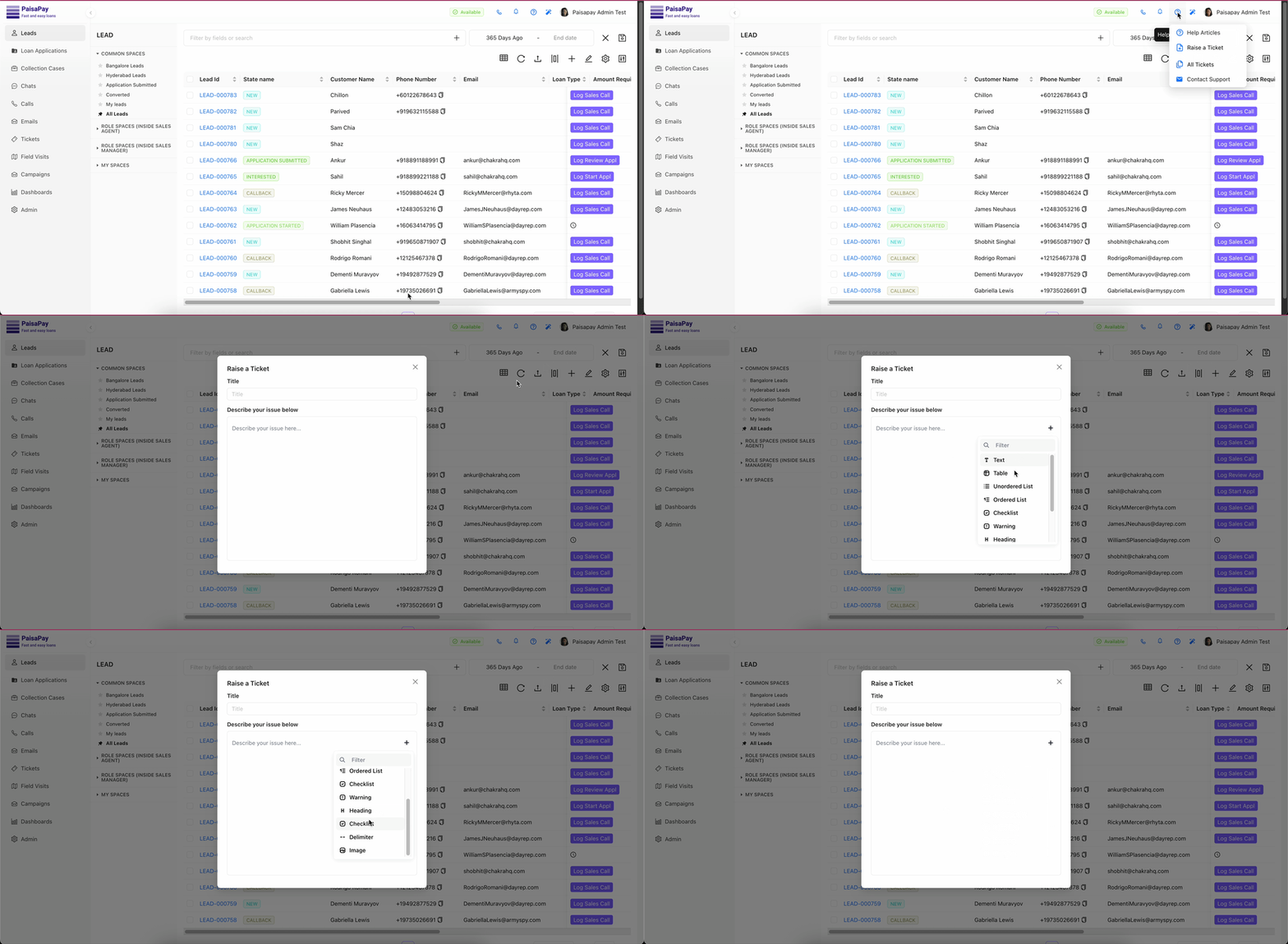 ](https://static-data.chakrahq.com/assets/images/platform/support-ticket/raise_a_ticket_help.gif)
💡 Tips for a Great Ticket
- Keep your title short and clear so we know exactly what it’s about.
- In the description, include error messages, steps to reproduce, and screenshots (if available).
- The more details you provide, the faster we can help!