Find Plugin & Phone ID
How to find plugin and whatsapp phone number id
Most of the WhatsApp apis will require the following parameters. This doc describes how to figure out the same
- pluginId - this is a Chakra Id of your WhatsApp plugin
- whatsappPhoneNumberId - this is the Meta Id of your connected WhatsApp phone number
How to figure out the pluginId
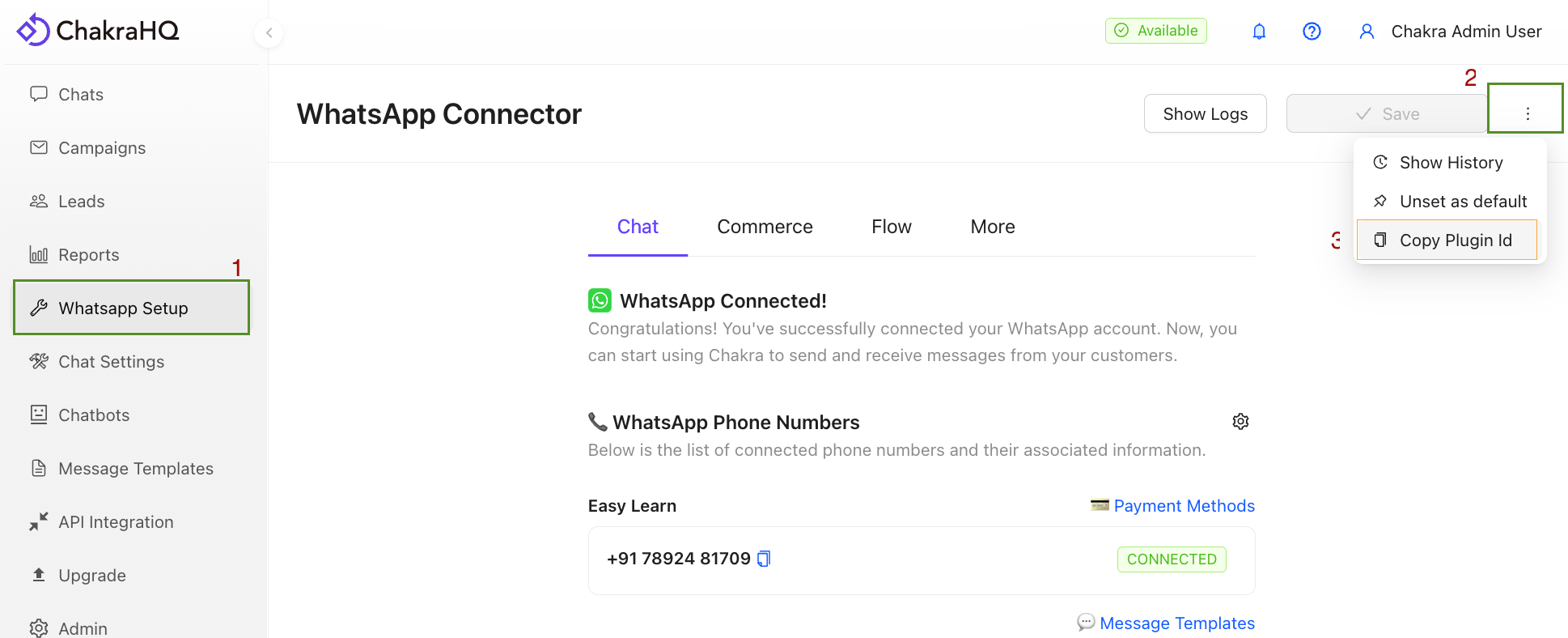
- In the WhatsApp setup page, locate the 3 dots icon next to the save button, on the top right corner
- Click the same and click the "Copy Plugin Id" button
- The plugin id is now copied, you can paste it where you need it
How to figure out the whatsappPhoneNumberId
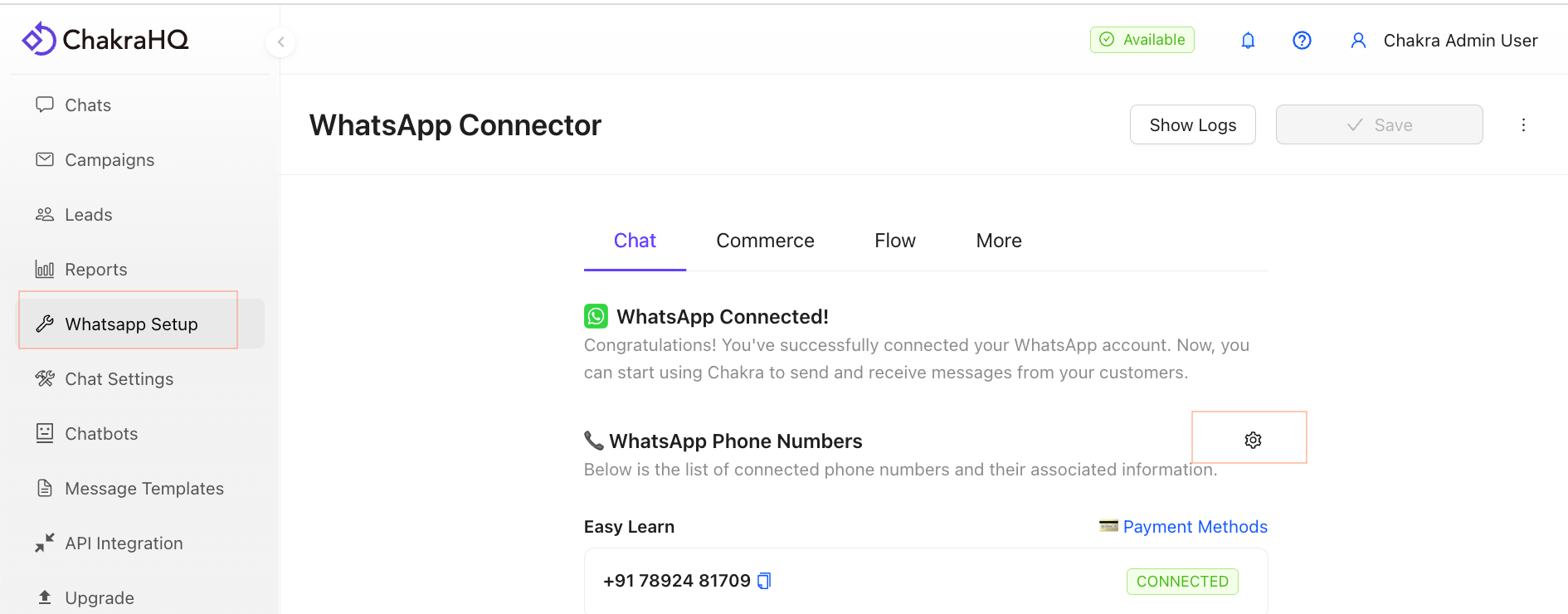
- In the WhatsApp Setup page click on the Gear icon next to "📞 WhatsApp Phone Numbers"
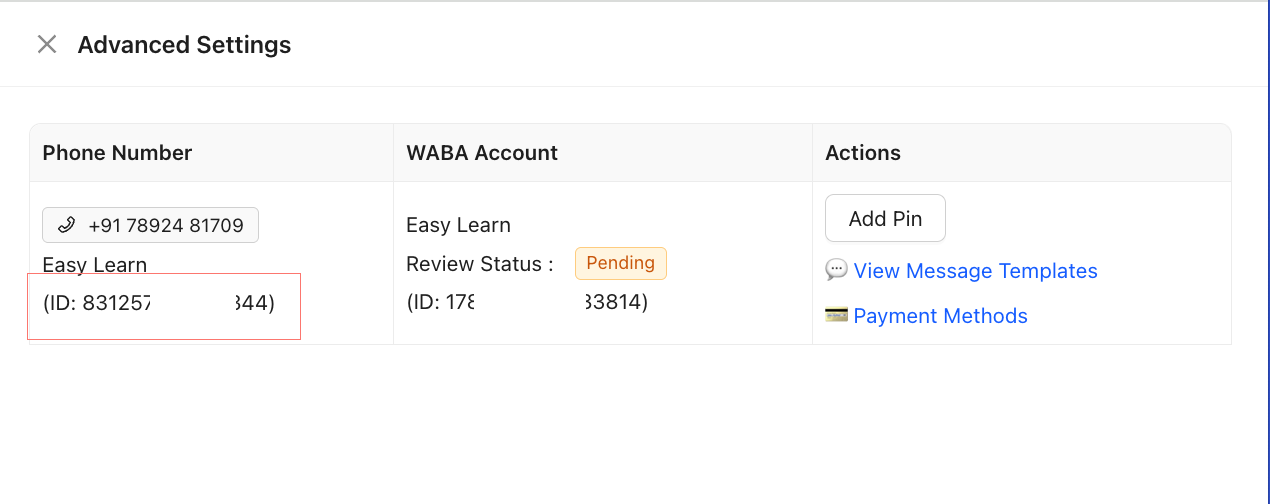
- In the drawer that opens you will find the Meta ID of each phone number in the phone number column