

Create a Workflow Campaign
Steps to create Workflow Campaigns in Chakra Sales CRM
Overview
Workflow campaigns are automated, multi-step campaign sequences triggered by specific user actions or behaviours, rather than just one-time manual sends. Chakra Workflow campaigns enable your to do varied set of workflow campaigns
- Drip Campaigns
- Lead Nurturing
- Welcome & Onboarding
- engagement
- Conditional Campaigns
- Event-based Triggers
- Conditions based channel switch
- Multi-Channel Campaigns
- Email, WhatsApp, SMS
Create Workflow Campaigns
Add a Workflow Campaign
- Go to Campaigns tab
- Click
+ Create Campaign - Add a Campaign Name
- Choose the Campaign Type
- WhatsApp Broadcast Campaign
- Broadcast Campaign (Legacy)
Workflow Campaign
- Click on
Create
Configure Workflow Campaign
Access the create campaign from the Campaign list. A builder open up to configure the campaigns steps.
- Click the
⊕button (between Start and Stop bubbles) - Add the Campaign Steps (among the follow)
- Send Email (to send an email)
- Send WhatsApp Message (to send a WhatsApp message)
- Send SMS (To send an SMS)
- Take Action ()
- Send Message
- Notify Users
- Add To Campaign
- Remove From Campaign
- Update Process
- Create Task
- Update Lead
- Create Task
- Loop
- Add other campaign steps by using the
⊕button at relevant nodes
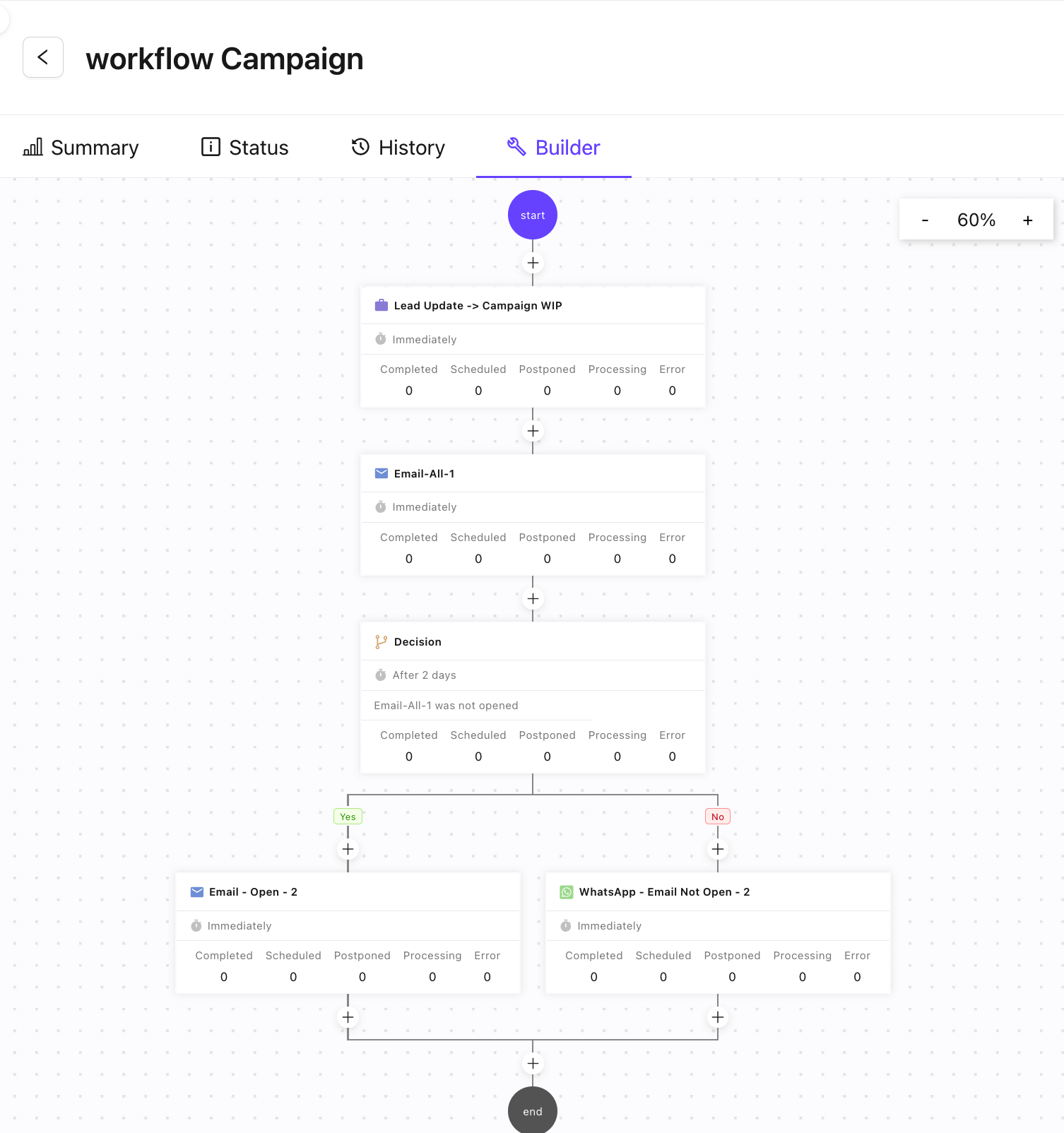
Configure Campaign Steps
Each added step of in the campaign builders needs to be configured separately
- Click on the Campaign Step
- Configure the Campaign
Step Detailsin the right side drawer - For Send Message/Email/SMS
- Step
Name ToField (Recipient contact) in Chakra LeadsPluginselectionTemplateselection- Template Subject (pre-populated if available on template selection)
When(Campaign Step Trigger Time)- Enable
Business HourSettings
- Step
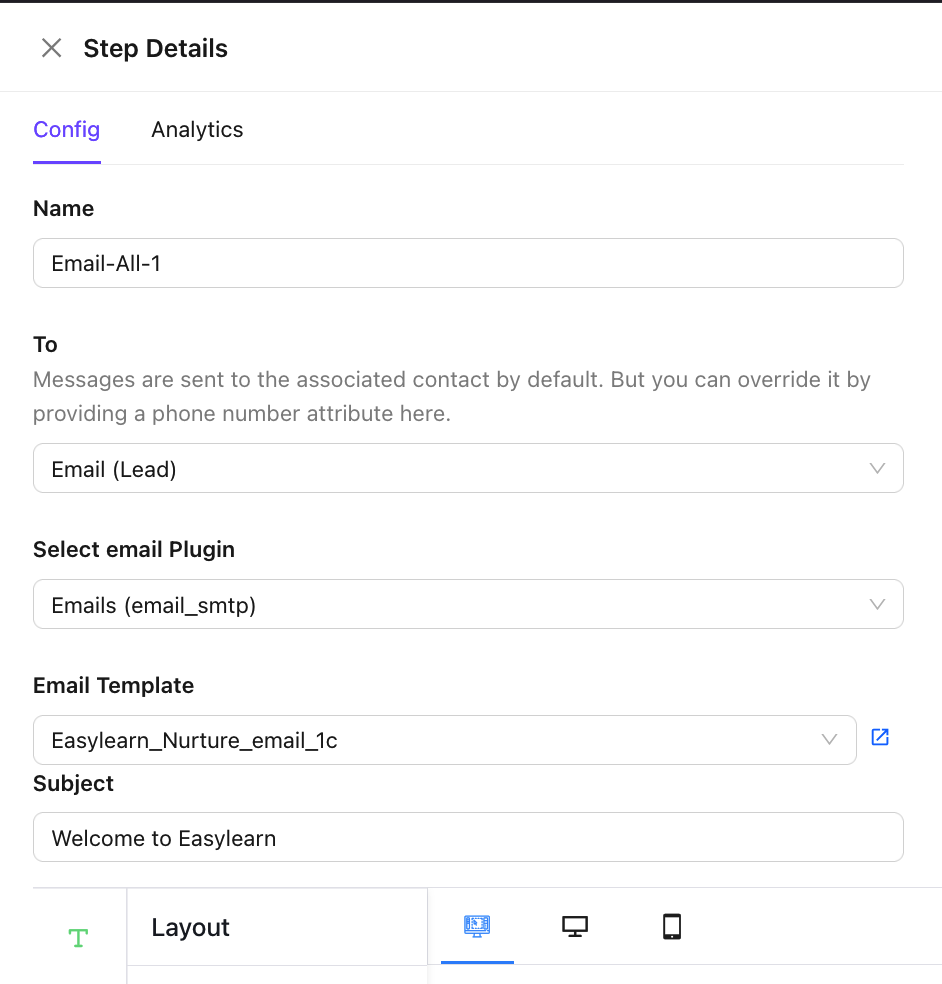
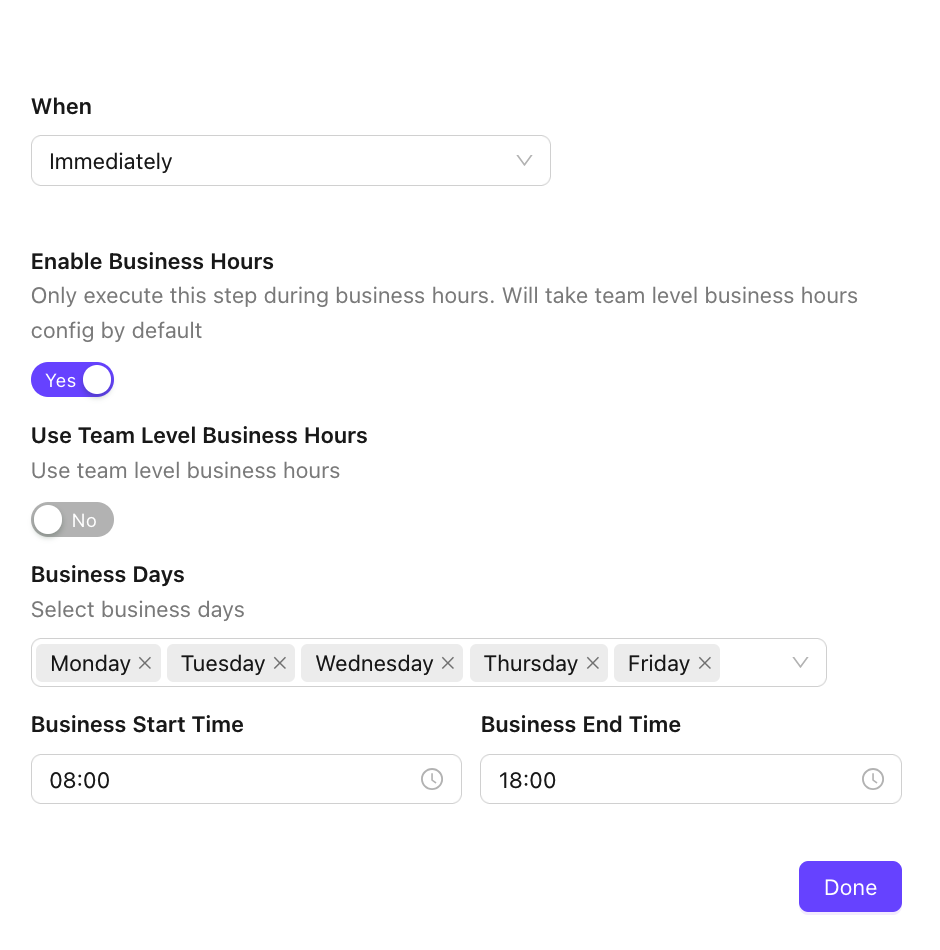
Likewise configure the campaign step setting for other type of nodes.
How to add existing leads to campaign
You can add existing leads to a campaign as follows
- Go to
Leadstab - Select the Leads to add to the campaign
- Click the
✎action button (from right top of lead list) - Click
Add To Campaign - Choose Campaign from the dropdown popup
- Click Add
