Lead De-Duplication
Lead De-duplication Overview
It is possible for you to setup a lead de-duplication automation. This is useful for scenarios where you want only one lead per phone number or email address.
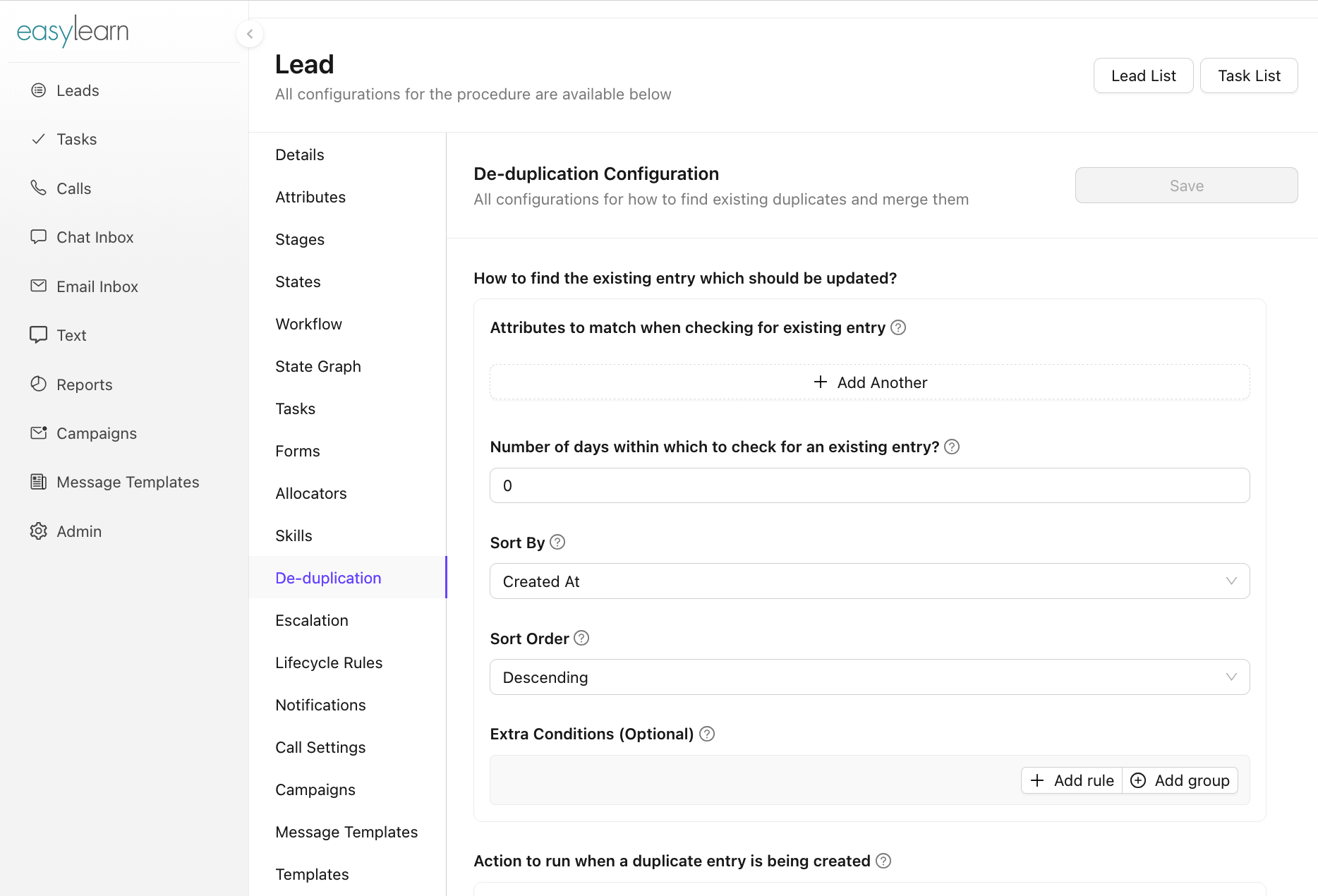
The feature can be accessed from Admin -> Lead -> De-duplication
Configuration Settings
Duplicate Identification
- How to find the existing entry which should be updated?
- Attributes to match when checking for existing entry
- Number of days within which to check for an existing entry?
- Sort By: If multiple entries match the unique attributes criteria, we pick the first entry after sorting.
- Sort Order: If multiple entries match the unique attributes criteria, we pick the first entry after sorting.
- Extra Conditions (Optional): Any extra condition added here will also need to be satisfied by the matching entry.
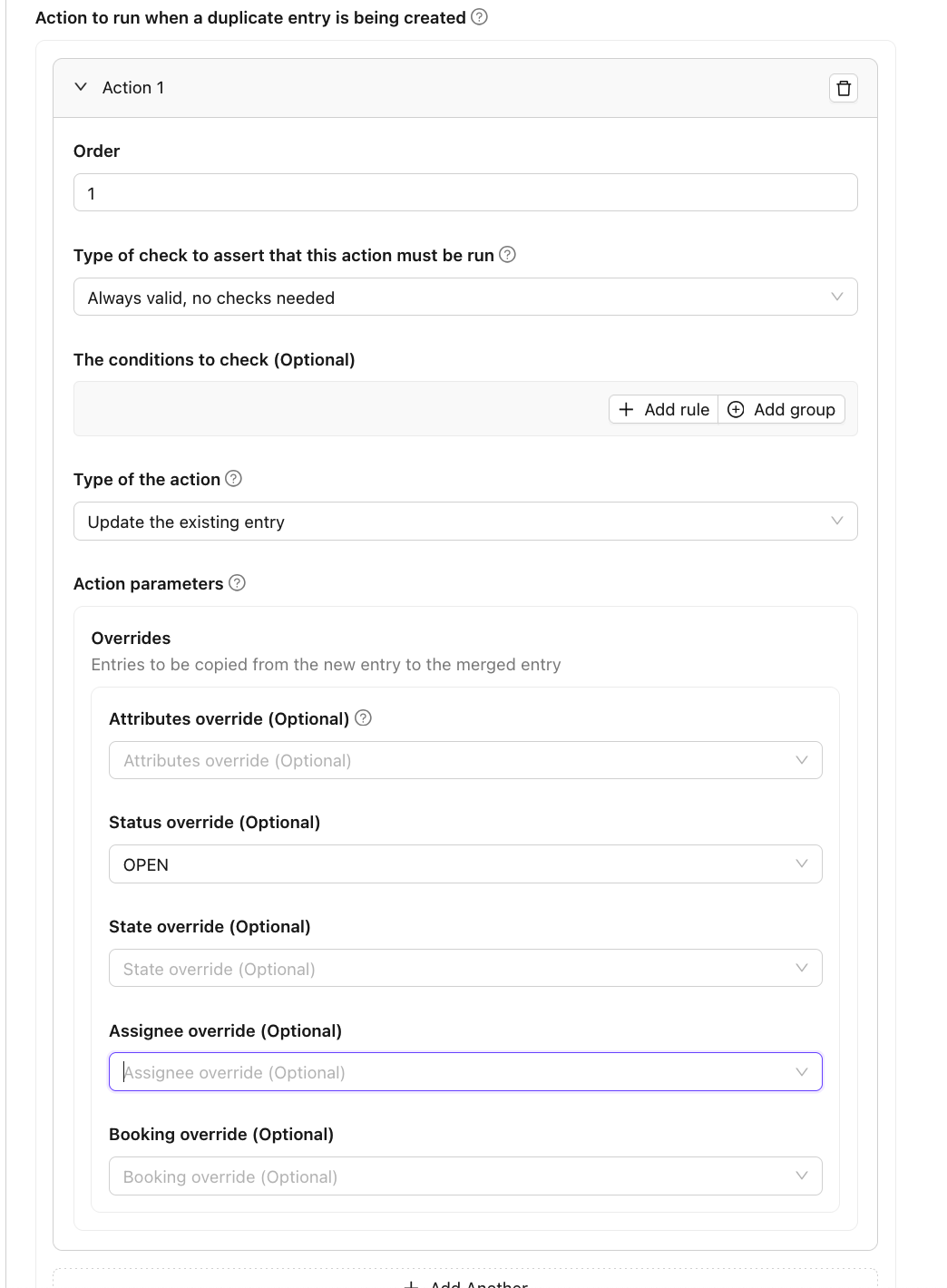
Duplication Action(s)
- Action to run when a duplicate entry is being created
- Order
- Type of check to assert that this action must be run: How to check if this action should be run?
- The conditions to check (Optional)
- Type of the action: What type of action is this?
- Action parameters:
- Overrides: Entries to be copied from the new entry to the merged entry
- Attributes
- Status
- States
- Assignee
- Booking
We will discuss how to solve for a common scenarios below:
Duplication Scenario
Ensure only one lead per phone number in a 24 hr period and Re-Open the old lead if closed
To achieve this, in the de-duplication section you need to provide the following config
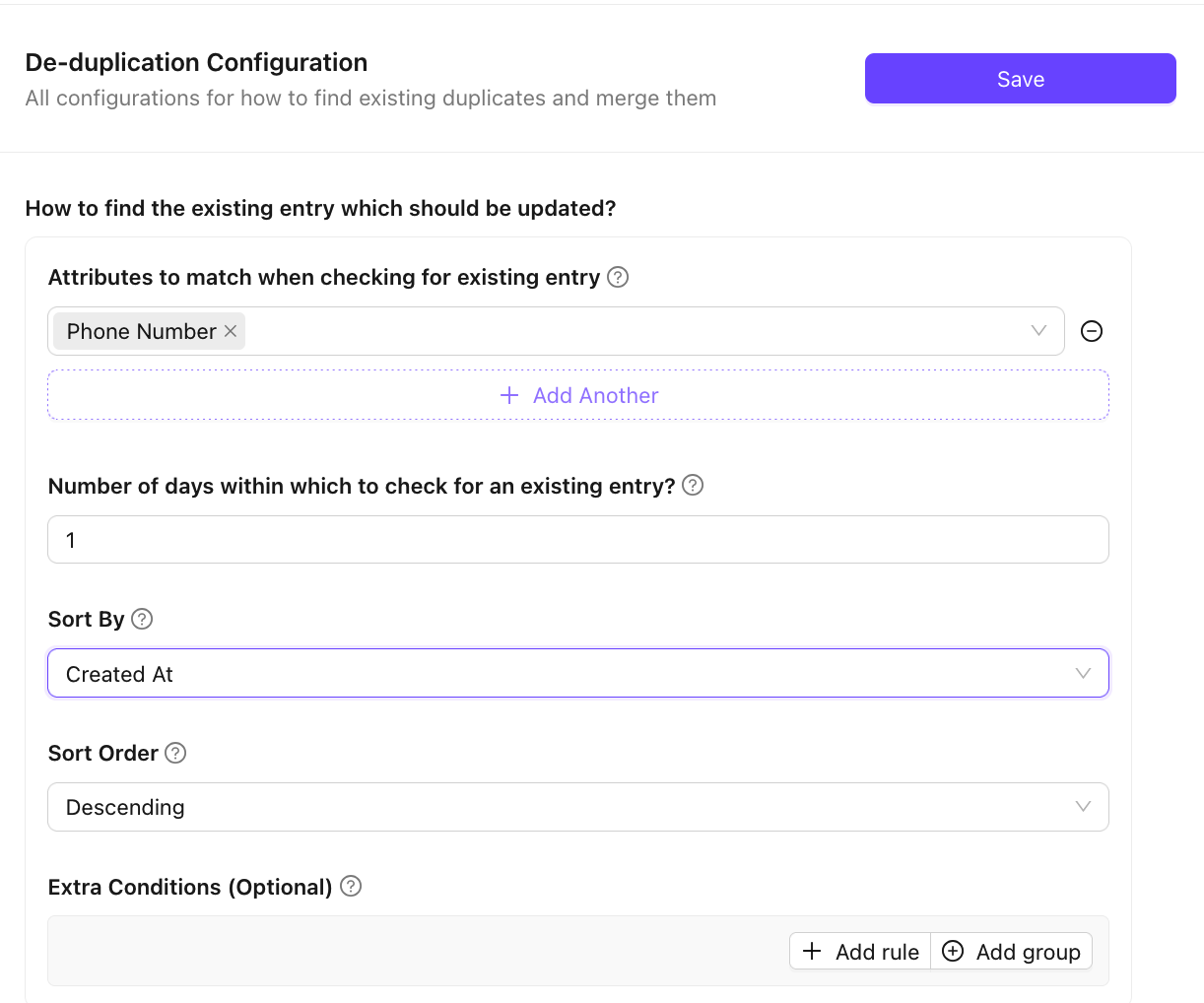
- Under "How to find the existing entry which should be updated?"
- Choose the "
Phone Number" attribute under "Attributes to match when checking for existing entry" - Enter value "1" under "Number of days within which to check for an existing entry?"
- Choose "
Created At" under "Sort By" - Choose "
Descending" under "Sort Order"
This configuration basically suggests: While creating a lead check if another lead has been created in the last 24 hours with the same phone number. If YES, the de-duplication automation kicks in. What you want to do when the automation kicks in can be configured in the next section.
- Under "Action to run when a duplicate entry is being created"
- Click "
+ Add Another" to add an action - Enter
1under "Order" - Choose "
Always valid, no checks needed" under "Type of check to assert that this action must be run" - Choose "
Update the existing entry" under "Type of the action" - Choose "
OPEN" under "Action Parameter"/"Overrides"/"Status Override"
This configuration makes sure that when you try to create a lead with a phone number, for which a previous lead exists - then the lead should not be created but the old lead's status should be changed to OPEN.
Overrides:
Use override settings like state, Assigned To, attributes etc. for entries to be copied from the new entry to the merged entry