Trigger webhook: Lead created
Overview
In this guide we will explain how to trigger a webhook when a lead is created. To do this we need to create a Lifecycle Rule to be trigged on Lead creation and execute a "Push to webhook" action.
Create an external API
An external API configuration describes how to call your own webhook. Follow the steps below
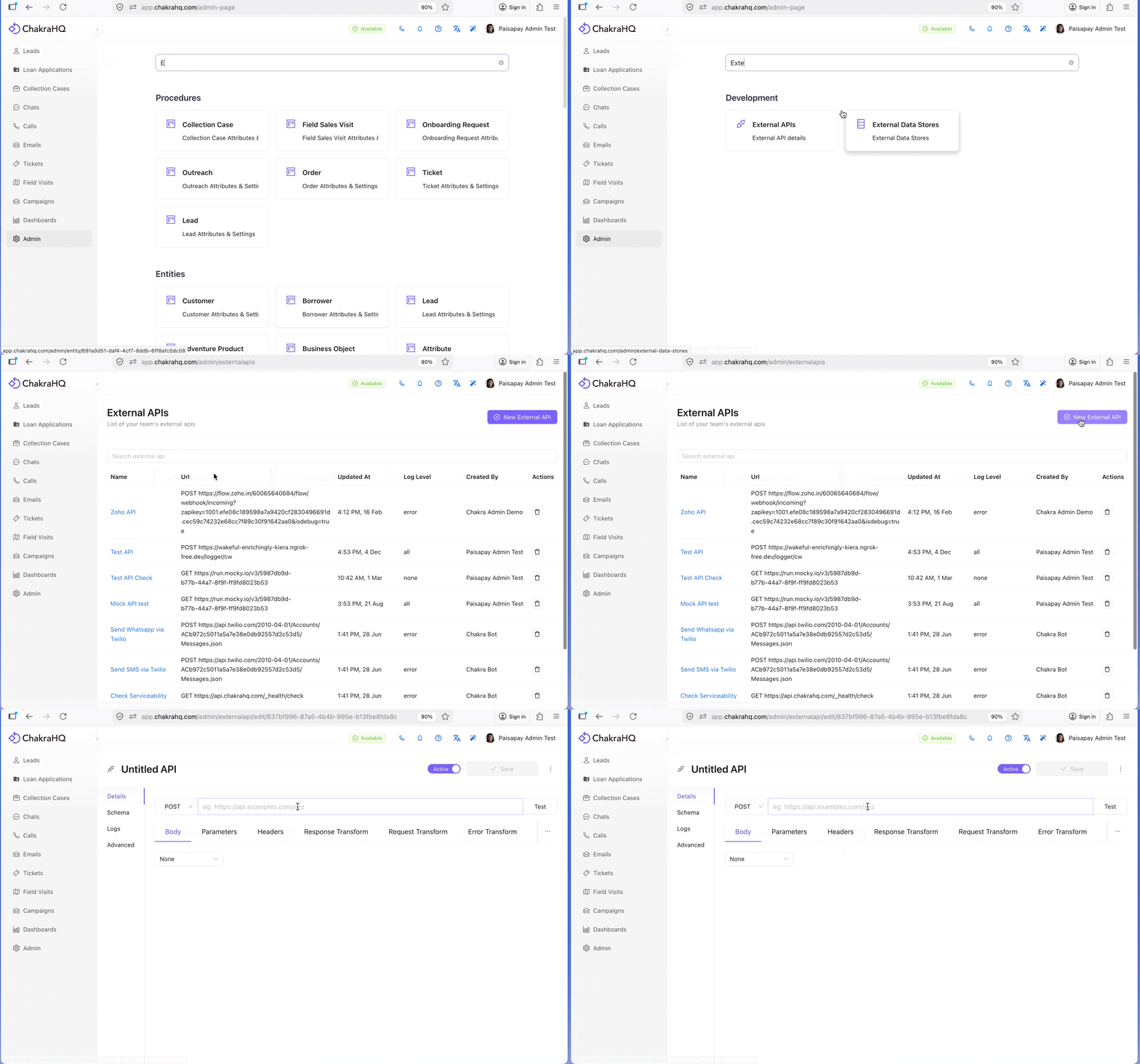
- Navigate to Admin > External APIs
- Click
⊕ New External API
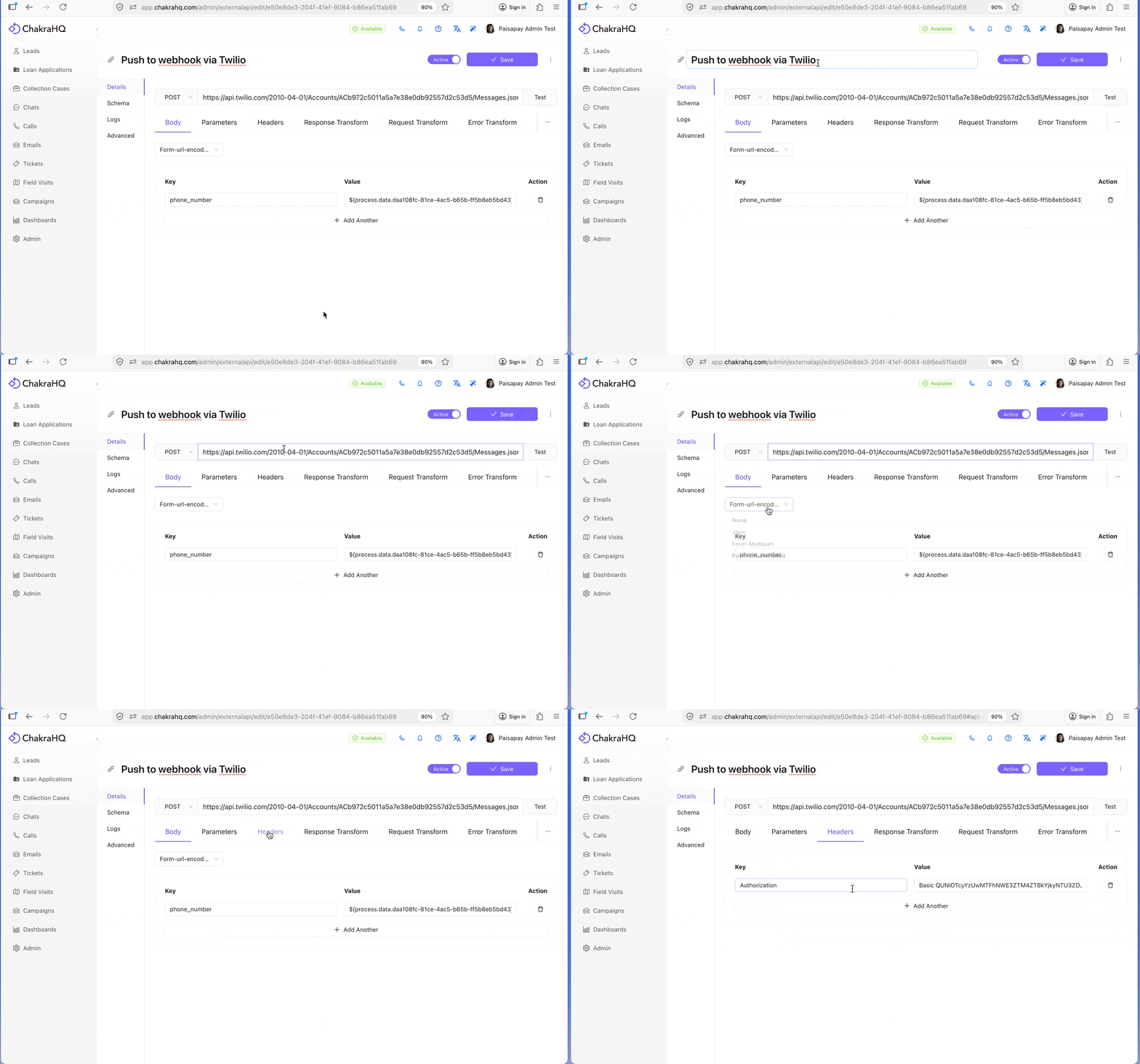
- Provide your
API urland confgure other details like: - Configure http method
- Authentication headers
- Update the API Name
- Click
Saveto save this API
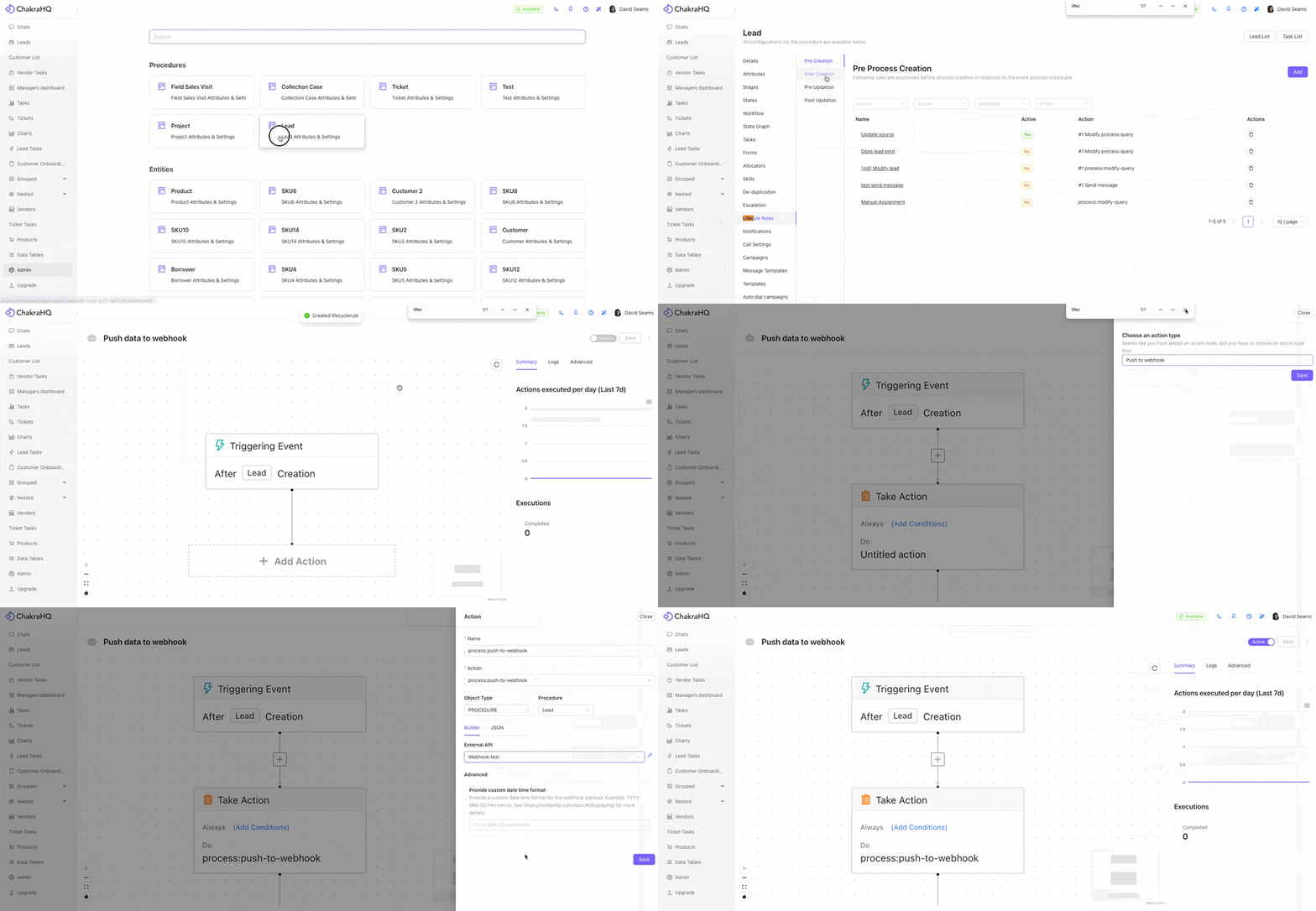
Create a Lifecycle Rule
- Navigate to
Admin > Lead > Lifecycle Rules - Click
Post Creationsub tab - Click the
Addbutton
- Click the
- In New Lifecycle modal
- Add a
namefor the rule like "push lead to webhook" - Click "
Add" again
- Add a
- In Rule builder page
- Triggering Event Node:
Lead Creationby default - Edit the node to add additional conditions
- Take Action Node:
- Click
+ Add Actionbutton - Click on
Do
- Click
- In drawer, select "
Push to webhook" and click "Save"
- Triggering Event Node:
- Webhook Configuration drawer
- Select
PROCEDUREunder Object Type Leadunder "procedure"- Select the external api from under the External API section.
- Create a new one if not already creatd
- Click
Saveto save the webhook config - Click
Saveagain to save the Lifecycle Rule
- Select
- Make the Lifecycle Rule
Active