

Manual Lead Creation
Step-by-step process to create a manual lead in Chakra Sales CRM
Create Leads Manually
Manually adding a lead allows you to capture prospects who reach out via offline channels, non integrated forms, or other ad hoc channels directly into your CRM.
Steps to Create a Manual Lead
Follow the step-by-step guide below to create a lead manually in Chakra Sales.
STEP 1: NAVIGATE TO THE LEADS TAB
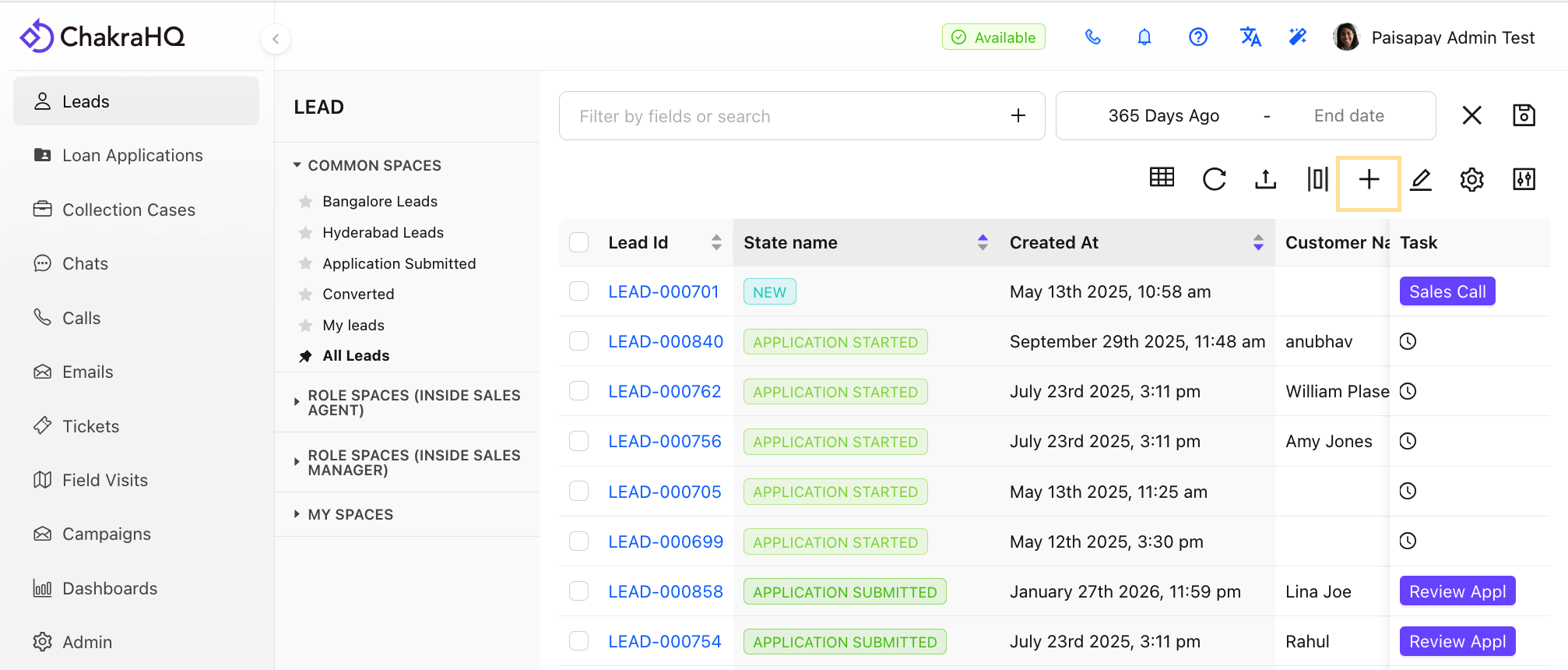
Go to Chakra Sales and click on the Leads tab.
STEP 2: OPEN THE LEAD CREATION FORM
Click on the Plus ➕ icon located at the top-right corner of the lead list.
STEP 3: FILL IN LEAD DETAILS
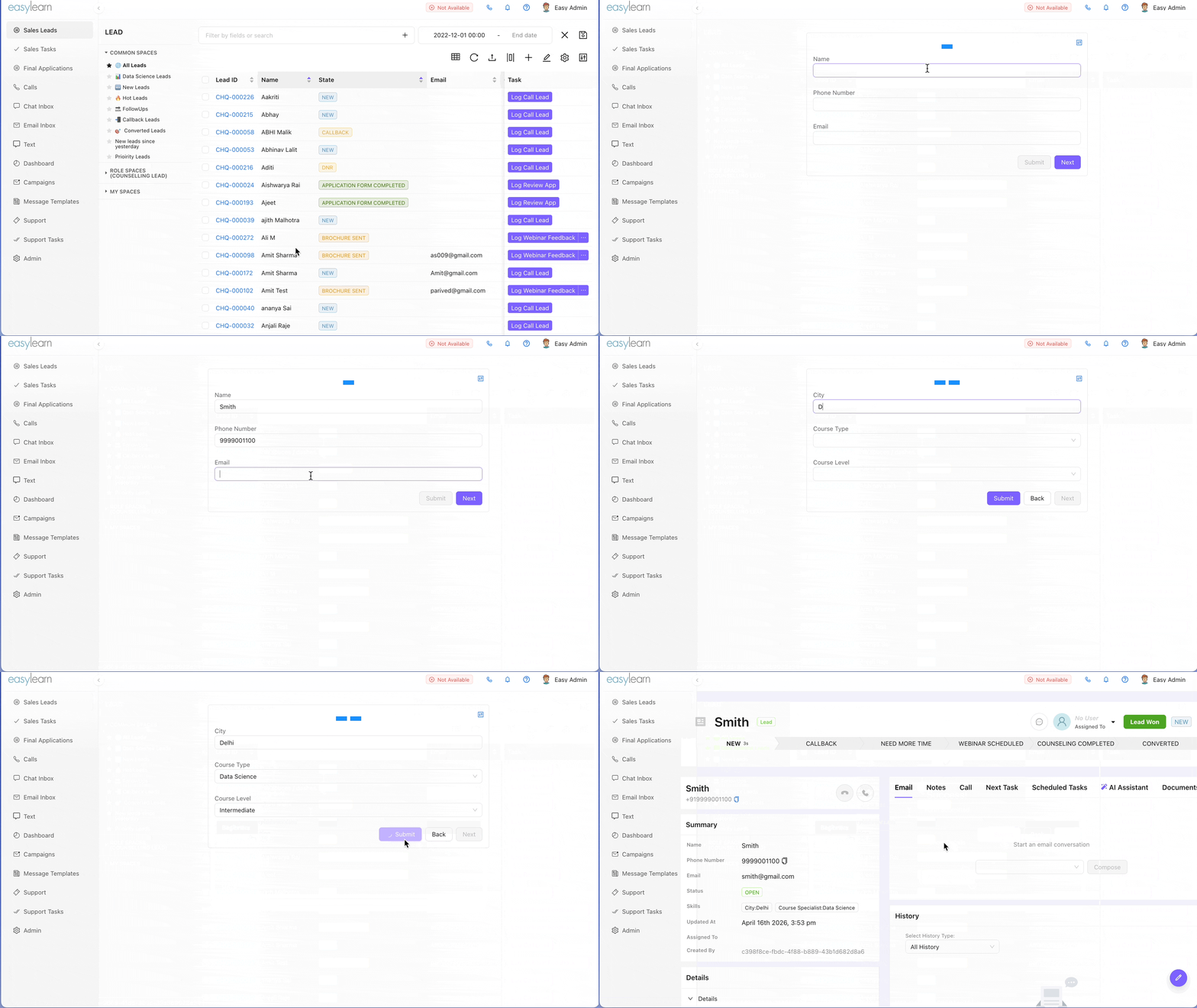
Update the fields in the Lead Form and click Submit.
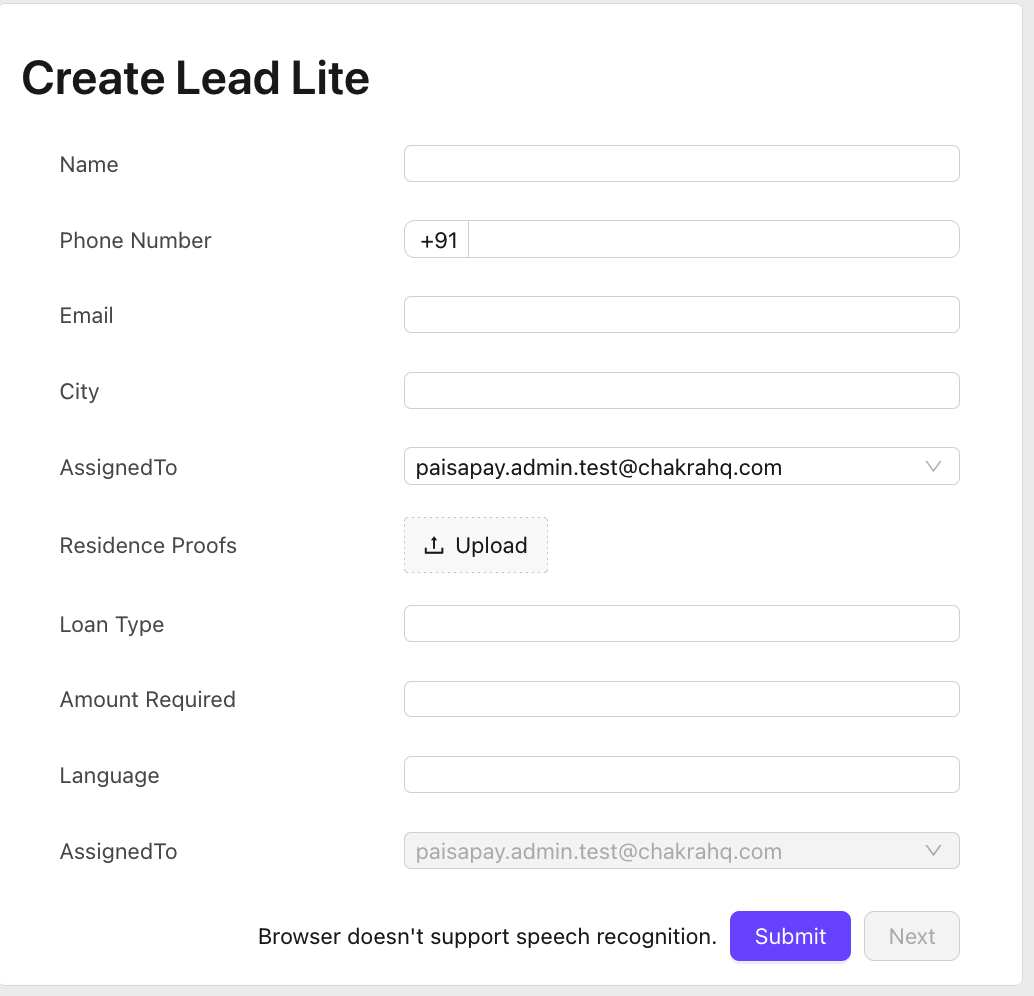
Note: Mandatory fields must be filled in order to successfully create a lead.
STEP 4: VERIFY THE LEAD
The lead is now added to Chakra. To check the newly uploaded lead, click the Refresh button.
SUMMARY
1. Go to Leads tab in Chakra Sales
2. Click ➕ icon (top-right of lead list)
3. Fill required fields and click Submit
4. Click Refresh to view the new lead