Campaign Lead Tags
Details to manage tags in Chakra Chat
Overview
Campaign tags and lead tagging in Chakra for broadcast campaigns is an important feature to segment campaign audiences, targeting messages, and tracking engagement in marketing campaigns.
Manage Tags
There are 2 ways to add tags to campaign contacts (leads) in Chakra Chat
Broadcast Campaign
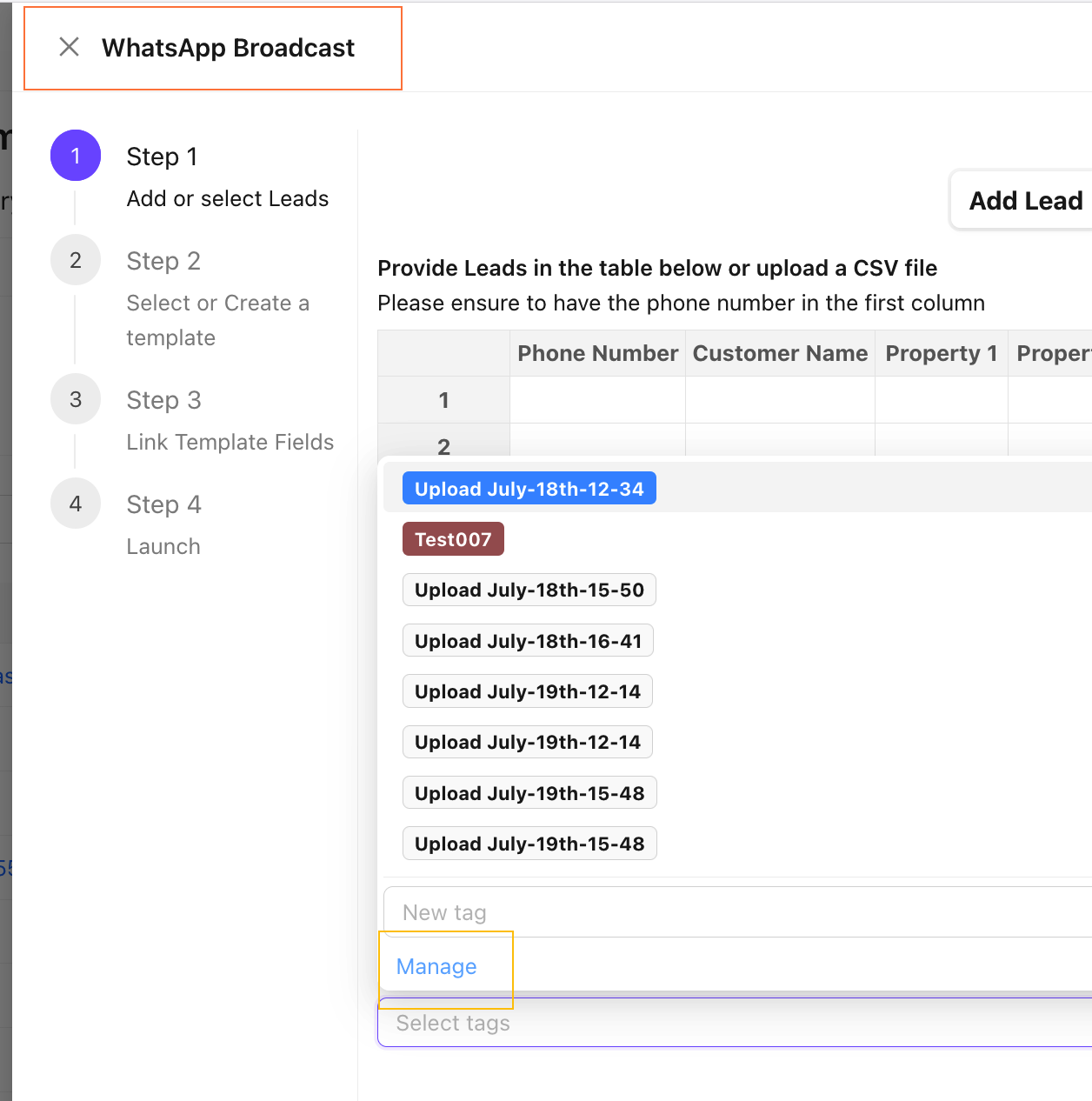
The Tags management can be accessed in the Broadcast Campaign Step 1 : Add or select Leads
- Go to
CampaignsTab - Click on
New Broadcast - Navigate to the section Select tags to apply to the Leads
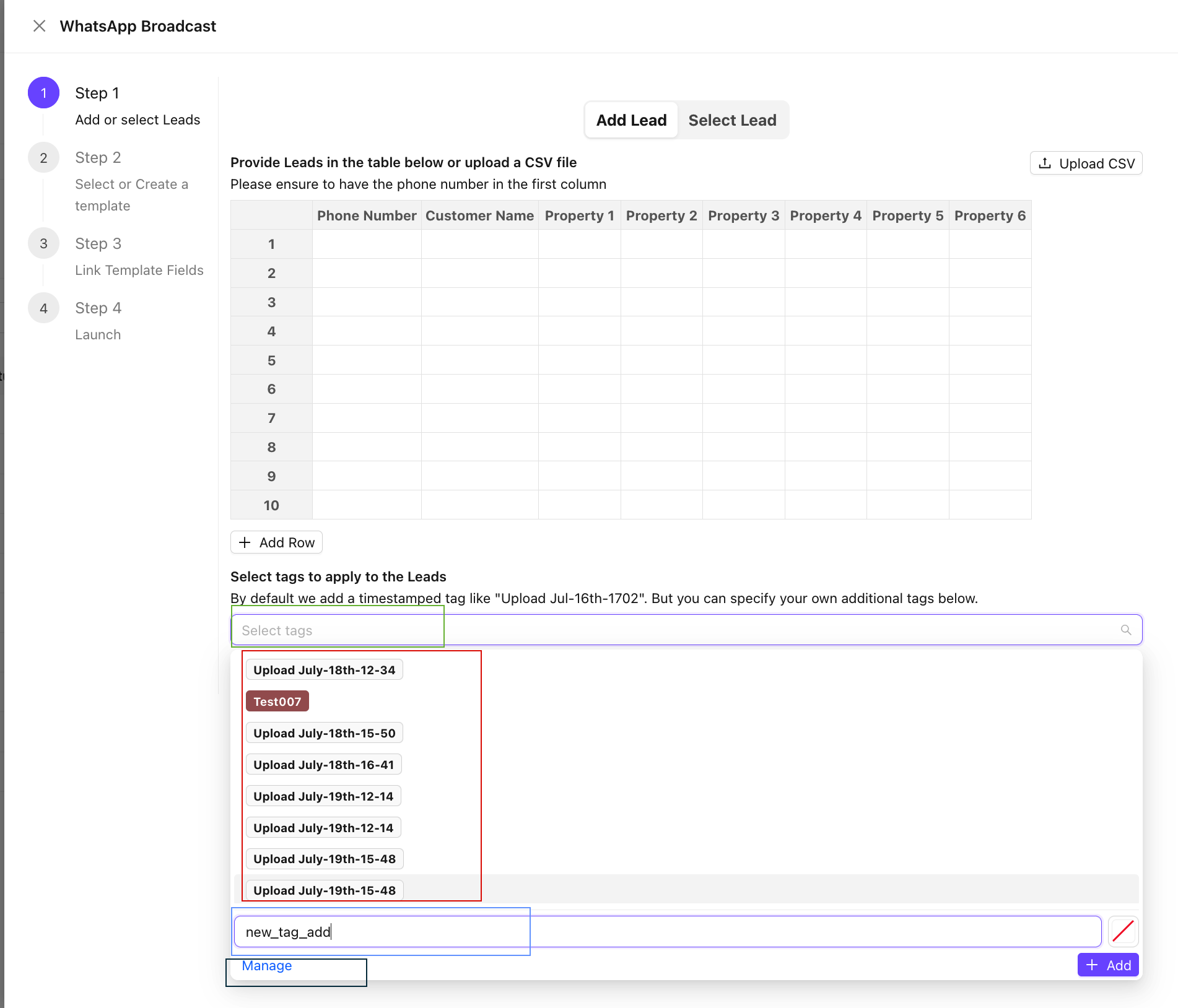
Add New Tags
To Add a New tag
- Click on the
Select tagsSearch Bar - In the New tag bar
- Add a Tag Name
- Click on
+ Add - The new tag is created
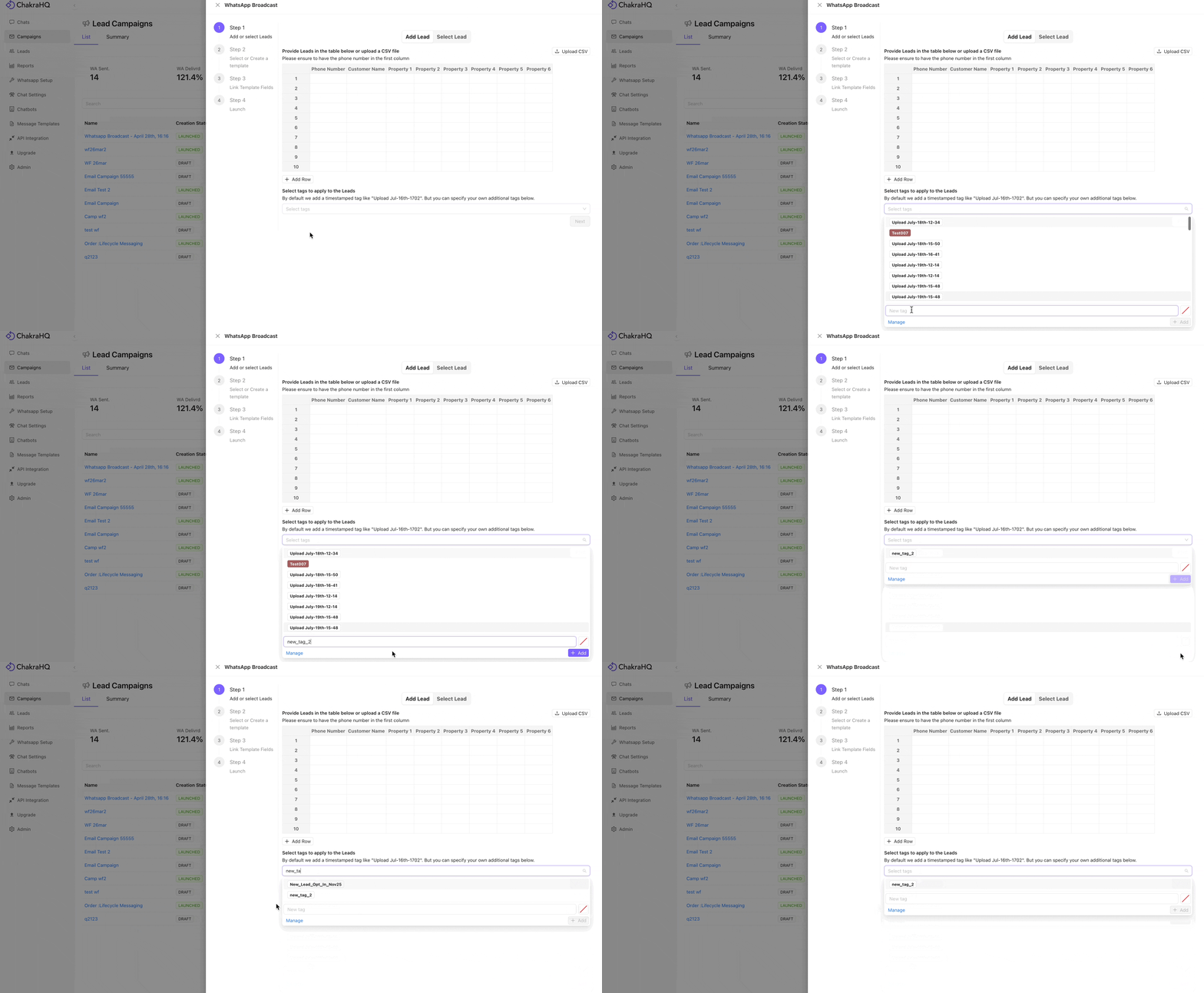
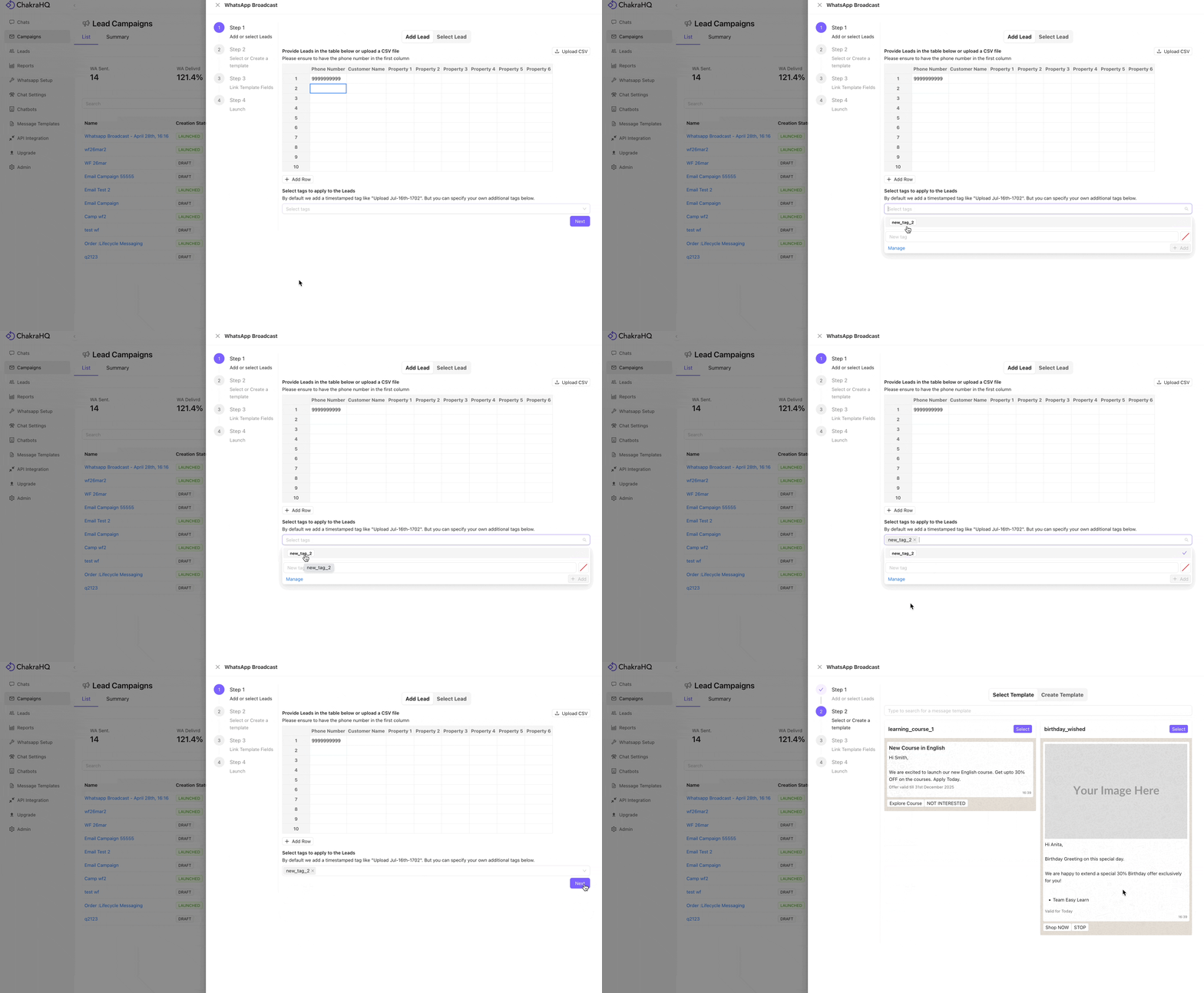
Apply Tags
To apply tags to campaign audience (leads)
- Click on the
Select Tagssearch bar Searchfor the tag name or select from the dropdown list- The tag is applied to the new campaign audience list added
Bulk Lead Upload
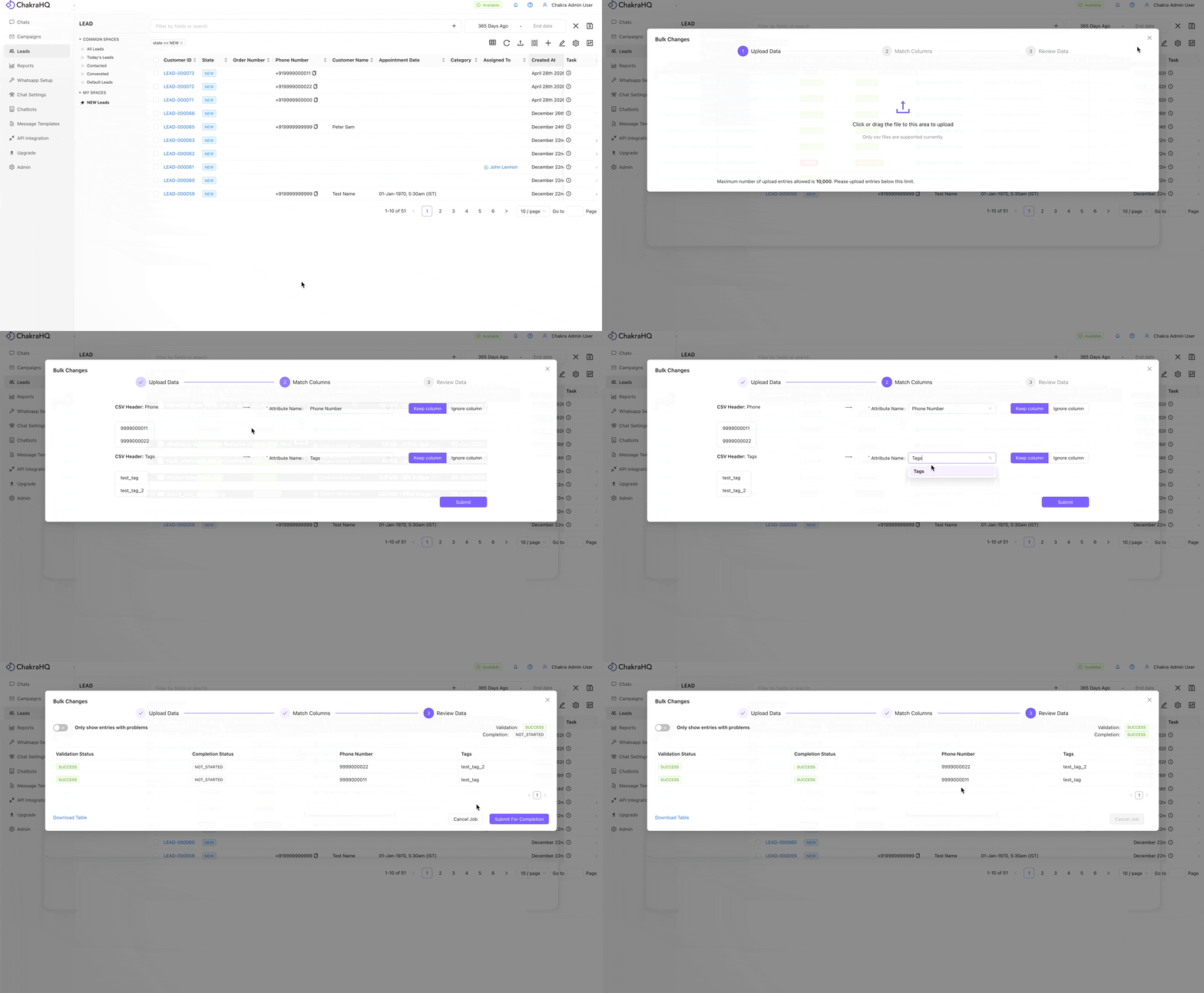
Tag the leads during bulk creation or bulk updation of leads using csv files
- Create a csv file with contact number, name, tags, other fileds as required
- Upload the csv file in Leads -> Bulk Upload
- The Tags are updated against the lead created/updated in the Tags field
Edit Tags in Leads
To manage tags in the leads.
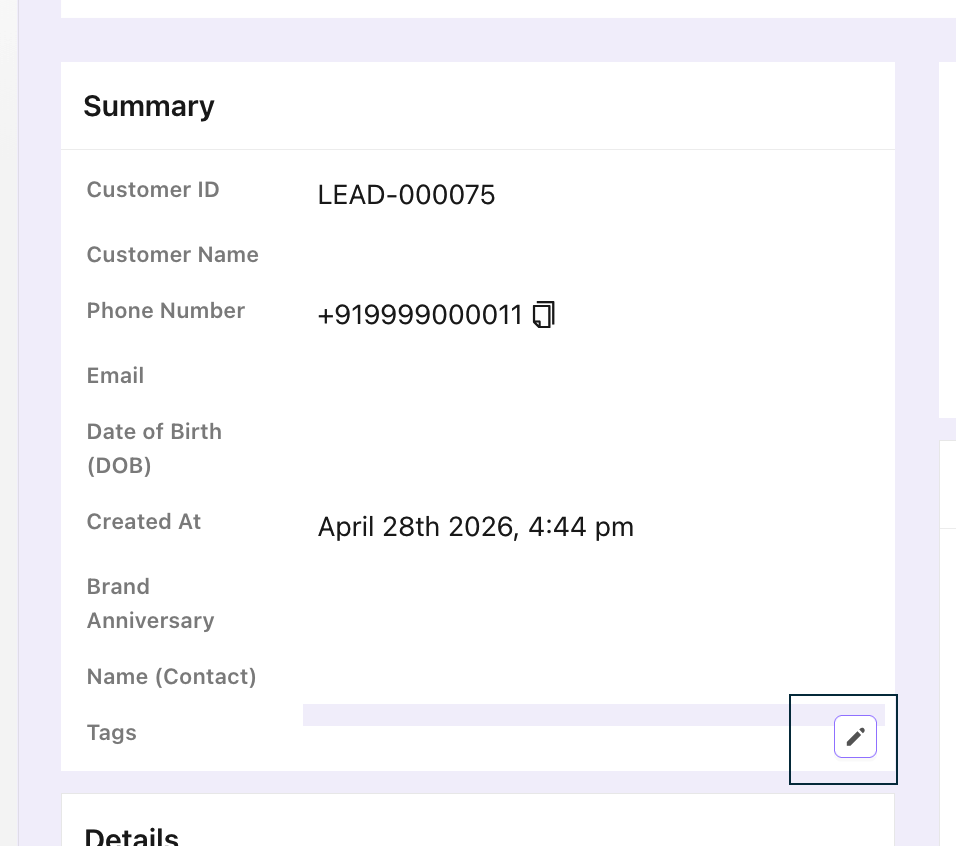
- Go to the lead by clicking on the
Lead Idin the Lead list - Click on the ✎ in the Tags field in Summary section
Create New Tags
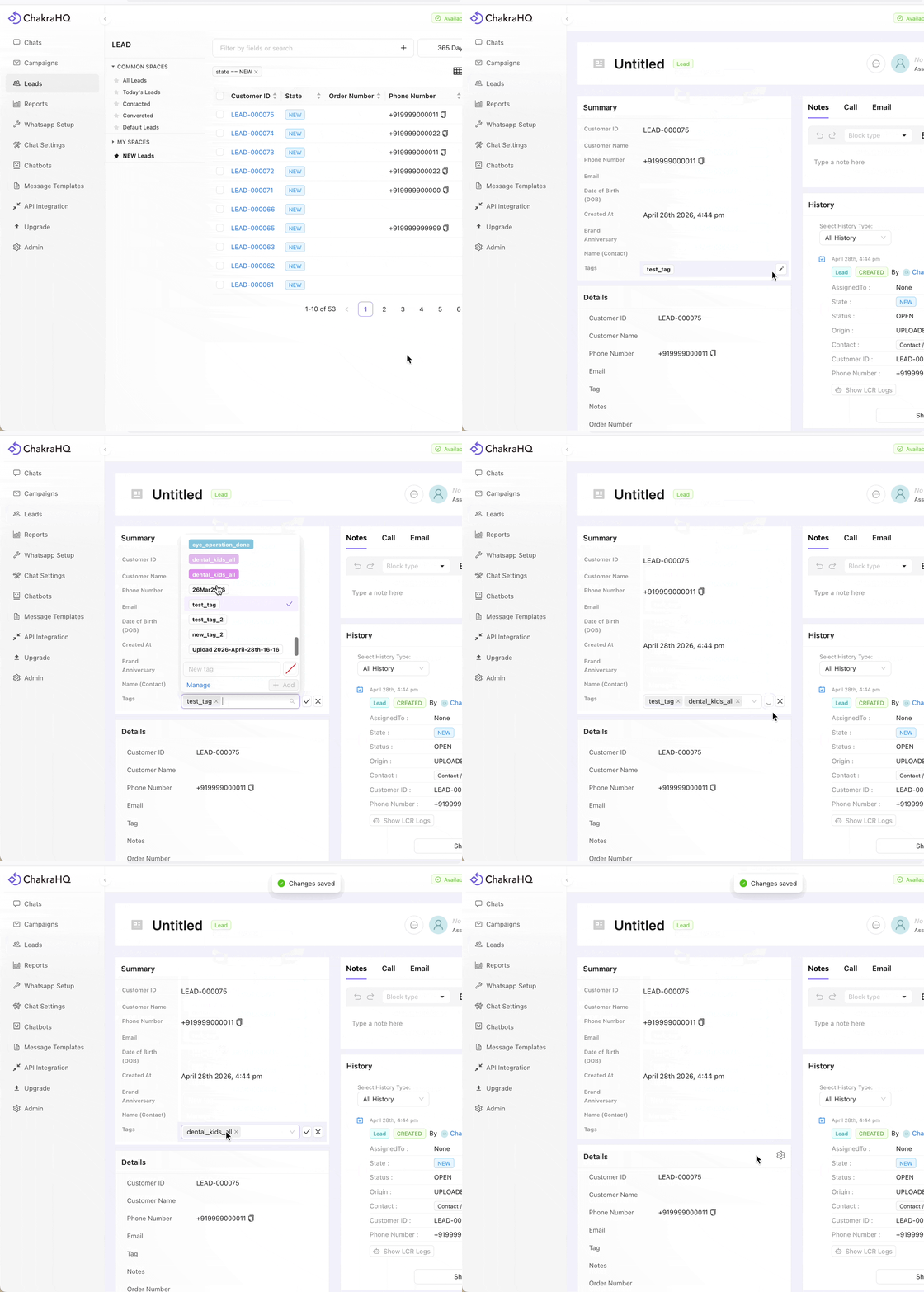
- Click on the
New tagsearch bar - Enter the new tag name
- Click on
Add. The Tag is created
Add Tags to Lead
- Click on the Tags field
- Search in the Tags field OR Select tags from the dropdown list
- Save the tags field using the
✓button - The Tag is successfully added in the lead
Remove Tags
- Click on the Tags field
- Click on the ✖️against the tag to be removed in the lead
- Save the tags field using the
✓button - The Tag is successfully removed from the lead
Tags Manager
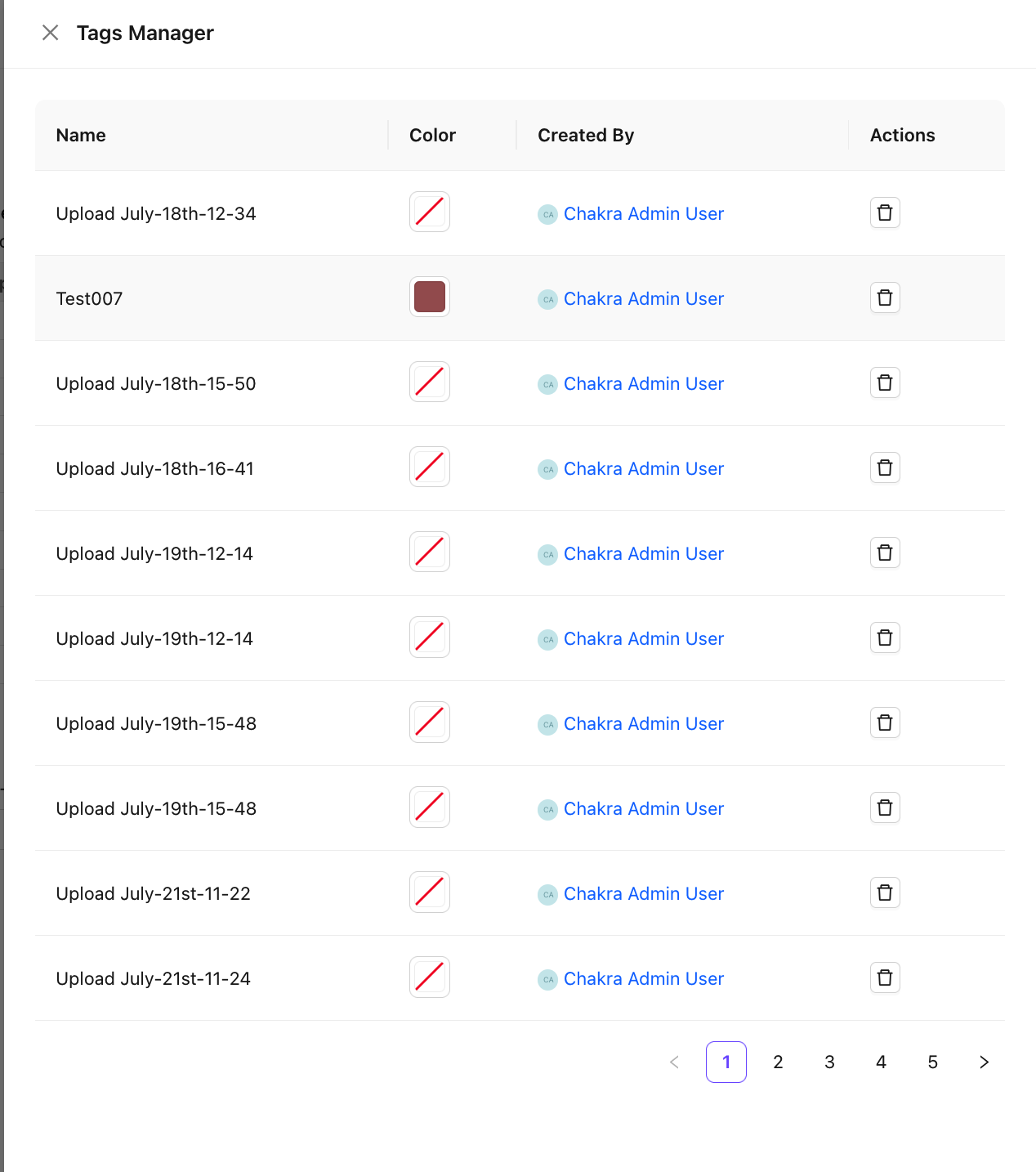
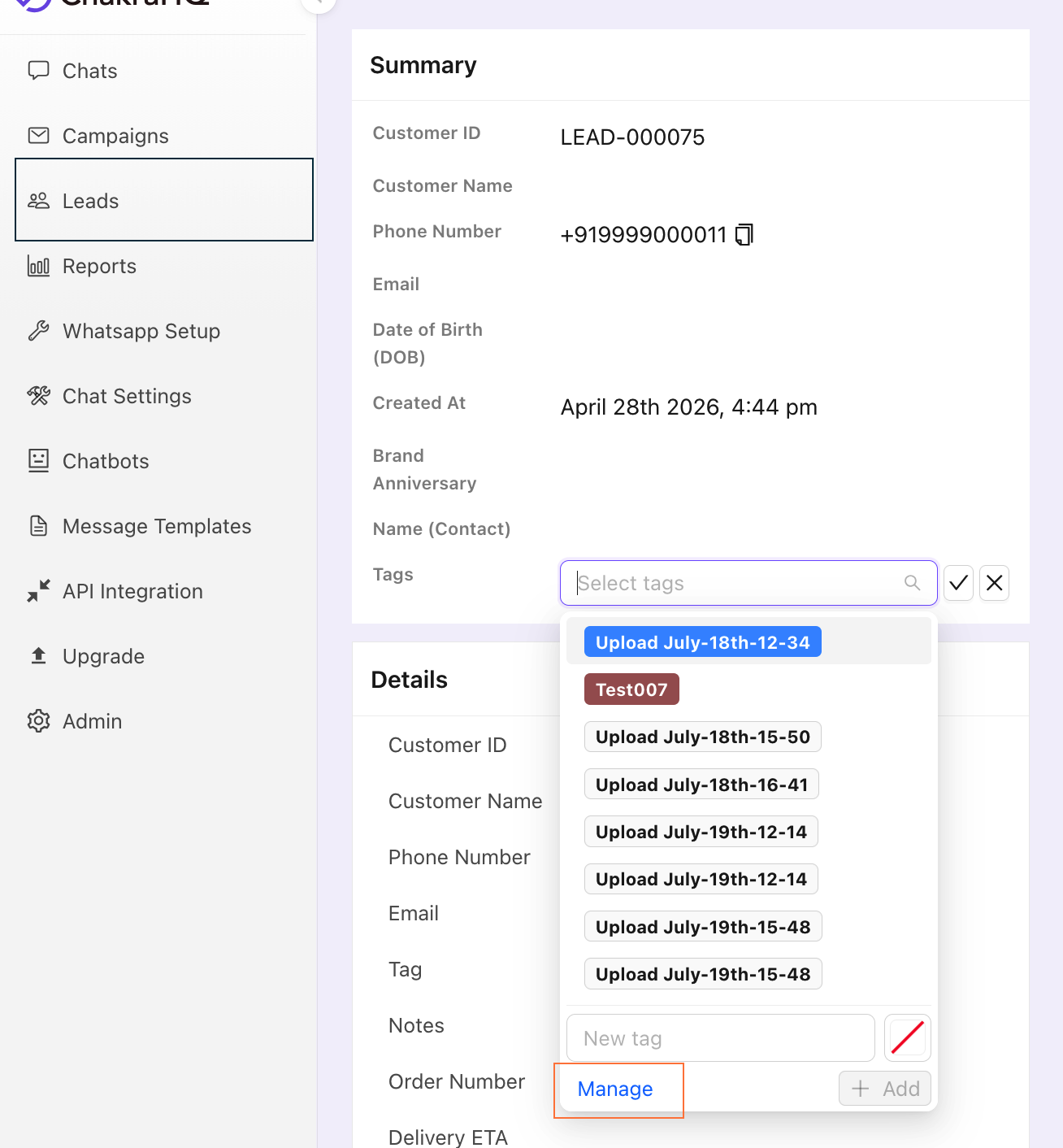
Tags Manager enables you to manage the existing tags in Chakra system. The Tags Manager can be accessed from Broadcast Campaign and Lead Tags field.
Access the Tags Manager
- Click on
Managein the tags feature to access the tag manager drawer - The drawer opens on the right-hand side
Delete a Tag
Click on the delete icon to delete a tag
Change Tag Colour
To add or change the tag colour, click on the color icon. Select the colour by clicking on the selection.