

Communication ChannelsEmail Integration Setup
Email SMTP Setup
Steps to setup email SMTP in Chakra Sales CRM
Overview
The integration enables sending outgoing emails directly from the Chakra CRM platform, acting as a secure bridge between the CRM and email providers like Gmail, Outlook, or SMTP relays. This integration facilitates automated workflows, personalised one-to-one email communication, bulk email campaigns, with improved email deliverability
Add Email SMTP Plugin
The plugin can be created by following these steps:
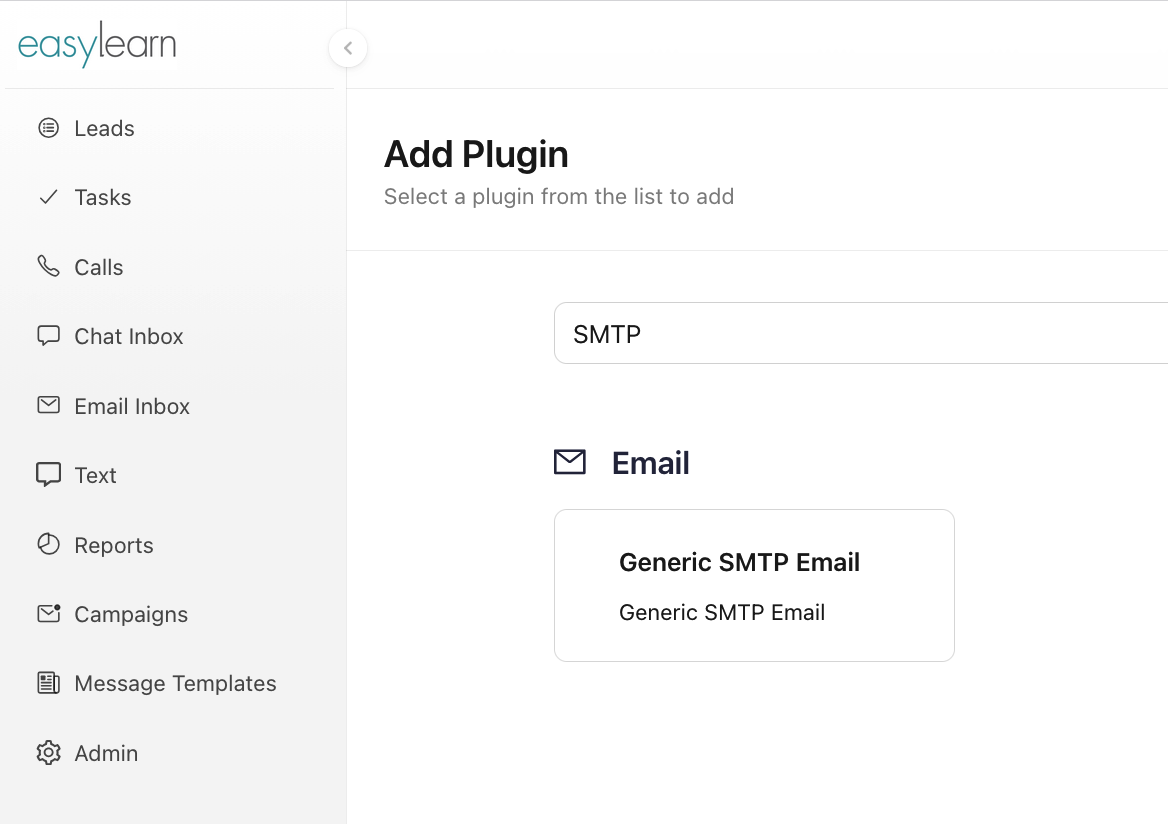
- Go to Add Plugin Page
- Search for
Generic SMTP Emailplugin. - Click on the
Generic SMTP Emailbox. - In the popup, provide the
Plugin Nameand clickAdd. - After plugin creation, the plugin details page is open.
Configure Email Plugin
In the plugin's details page, add the following details as per the email provider
Config
Host(SMTP Host for eg: smtp.zoho.in)Port(SMTP server port like 465, 587)Force TLSToggle Yes/NO (Should we force TLS)
Auth
Username(email address)PasswordFrom Address(Eg: "Ben" <ben@acme.com> or just ben@acme.com)
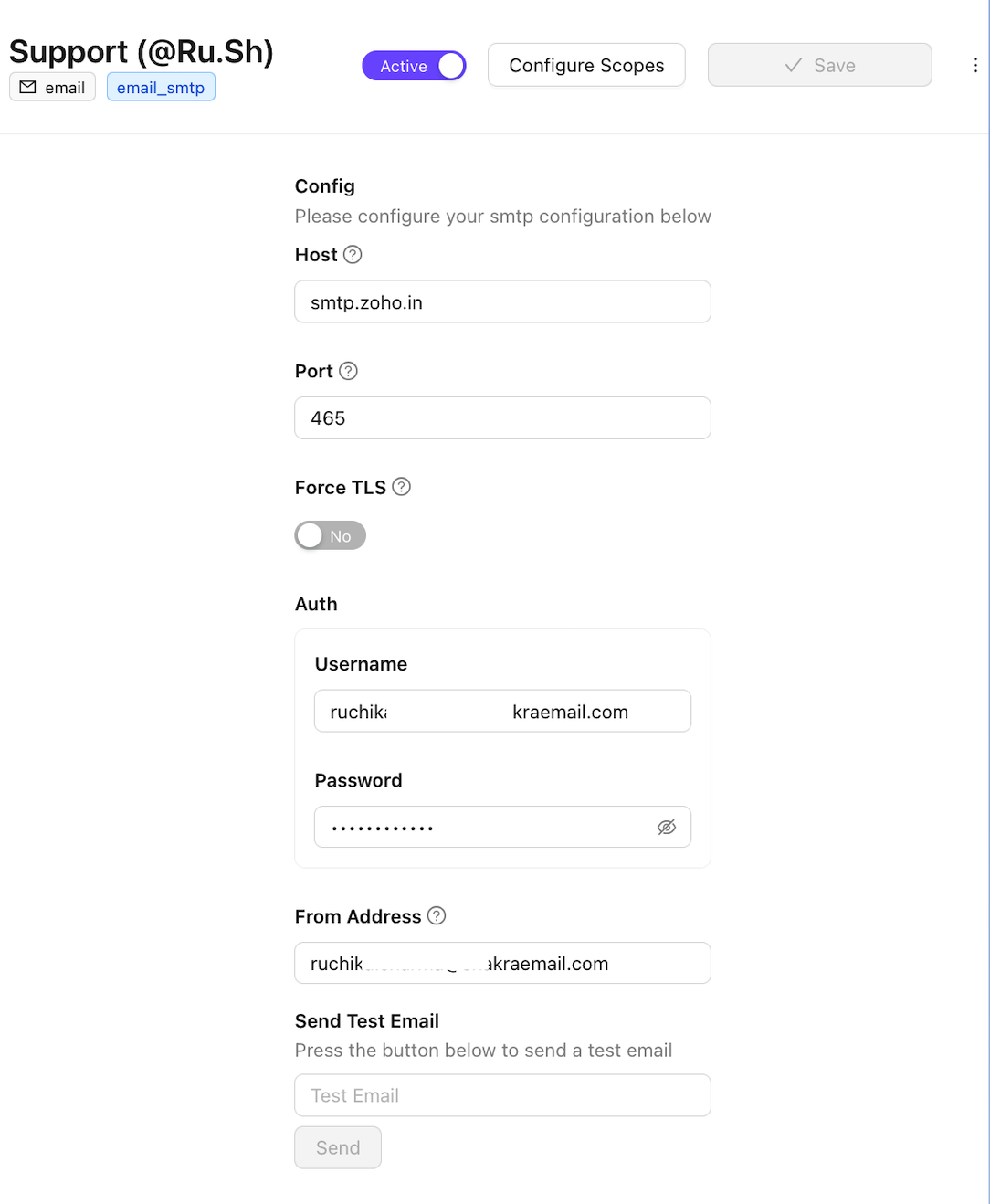
Test Email
- Add a recipient email to test
- Click on
Send
Mark Plugin Active
Savethe Plugin- Mark the Plugin
Active
Note: