

Automation SettingsCampaign Automations
Daily Appointment Reminders
Appointment reminders every day - Recurring Campaign
This guide explains how to set up automated appointment reminders for customers using the Campaigns feature. Follow these steps to capture appointment timestamp, create appointment reminder templates and configure the campaign
Step 1: Add a Apppointment Time Attribute to Leads
- Navigate to Admin > Leads in the Chakra dashboard.
- Click Add and select Standard Attribute.
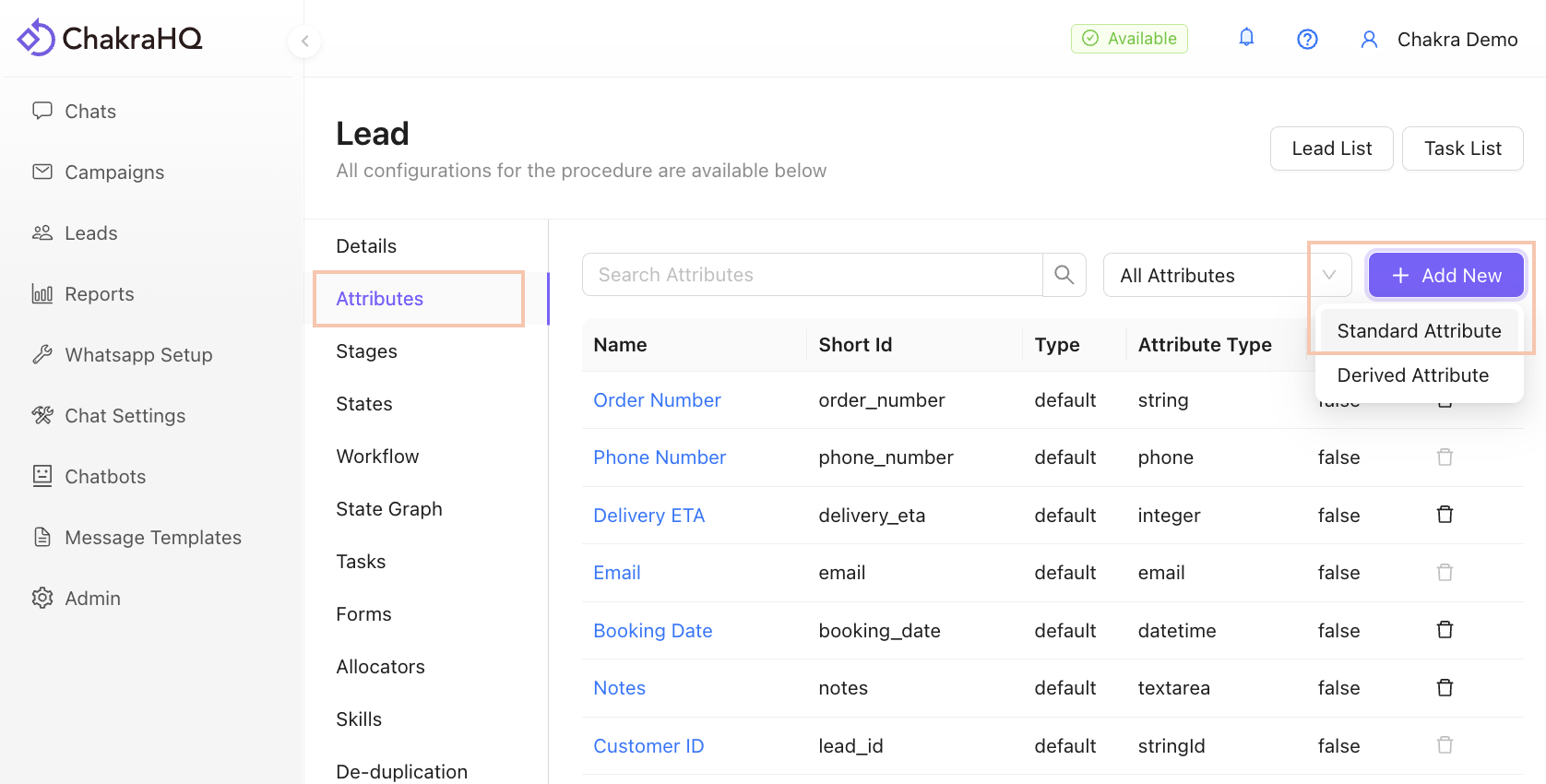
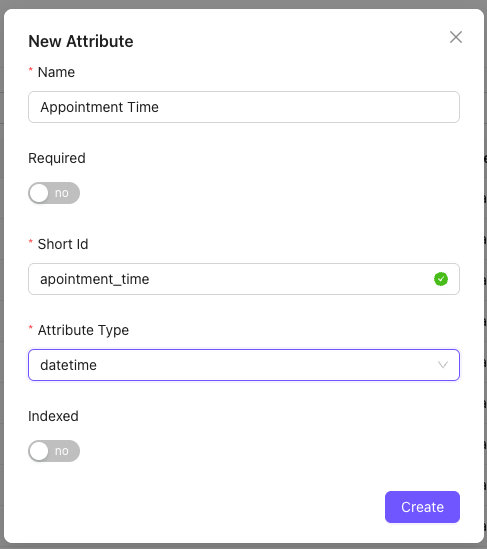
- Configure the attribute:
- Name it
Appointment Time(or similar). - Set the field type to
Date Time.
- Save the attribute.
Step 2: Create leads with appointment time or update exising leads to have a specific appointment time
Create leads
- You can upload a csv file with reklevant lead details including a column for appointment time
- Ensure to supply a well formatted datetime value like
2025-12-17 09:00:00 - Find more information about bulk uploading leads in this article
Update leads
- Visit the lead details page
- In the left sidebar, locate the newly created attribute and click the edit icon
- Select the specific time and click the "check" icon to save the selected time.
Step 3: Create an appointment reminder template
- Go to Message Templates in the Chakra dashboard.
- Click Create New Template to design a appointment reminder template
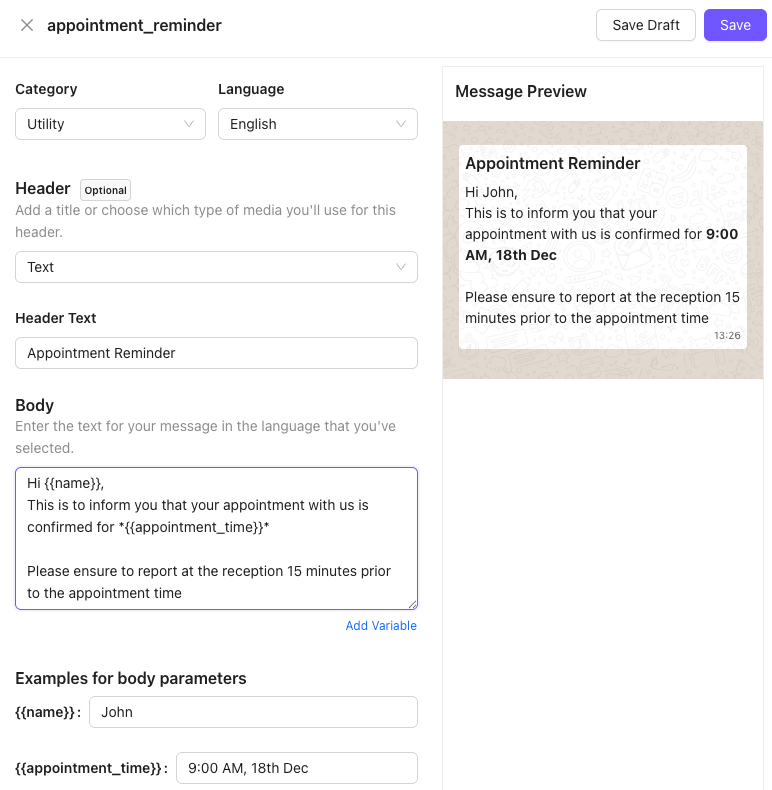
- Customize the template with personalized fields, interactive buttons following standard template guideline (e.g., customer name, offer details).
- Follow the Chakra Message Template Creation Guide for detailed instructions.
- Submit the template for WhatsApp approval.
Step 4: Create an appointment reminder campaign
- Navigate to Campaigns in the Chakra dashboard. Click Create New Campaign

- Follow the instructions in the help document to
Create a Campaign(https://help.chakrahq.com/chat/getting-started/create-workflow-campaign) - Configure the wahtsapp message node, including
- The approved appointment reminder message template.
- any variable mapping to the template fields
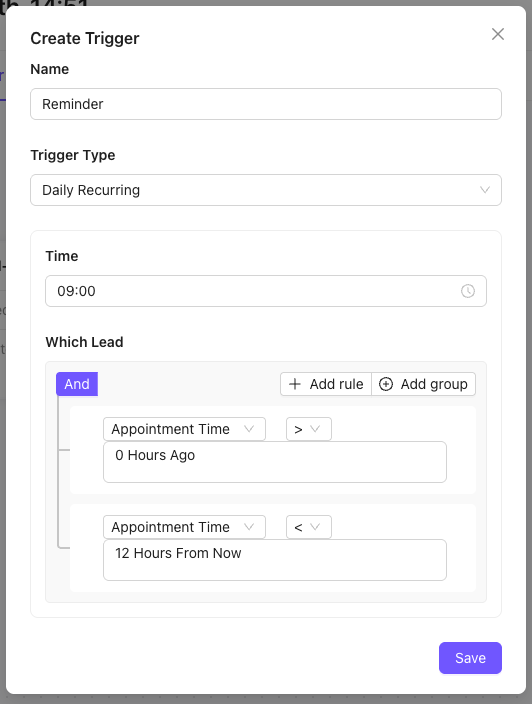
- Under the trigger section, add a new trigger
- Provide a name for the trigger
- Choose recurring type as "Daily"
- Chose the time of the day when the campaign has to go out
- Now provide a query to find all the leads whose appointment is scheduled for the day
- Add a rule and select appointment datetime as the lhs
- Chose > operator
- In the rhs - click the date selection field, and set it to 0 hour ago
- Add another rule
- Again select appointment datetime as the lhs
- Chose \< operator
- In the rhs - click the date selection field, and set it to 12 hours from now
- Click "Save" to save the trigger
Now every day at 9 am,this trigger will find all leads whose appointment time is between 9am and 9pm and send them the reminder message.
Step 5: Test the Automation
- Add a test lead with an appointment set to today’s date.
- Verify that the appointment reminder message is sent automatically via WhatsApp.
- Monitor the campaign performance in the Chakra dashboard.