

Chat InboxOther Chat Inbox Features
Manually Assign Chats
Steps to manually assign or re-assign a chat to a chat user
Assign and Manage Chats
You can easily assign a chat to a team member or change the assignee as needed using the dropdown menu in each chat view.
- Click on any chat in the Chats List to open the conversation window.
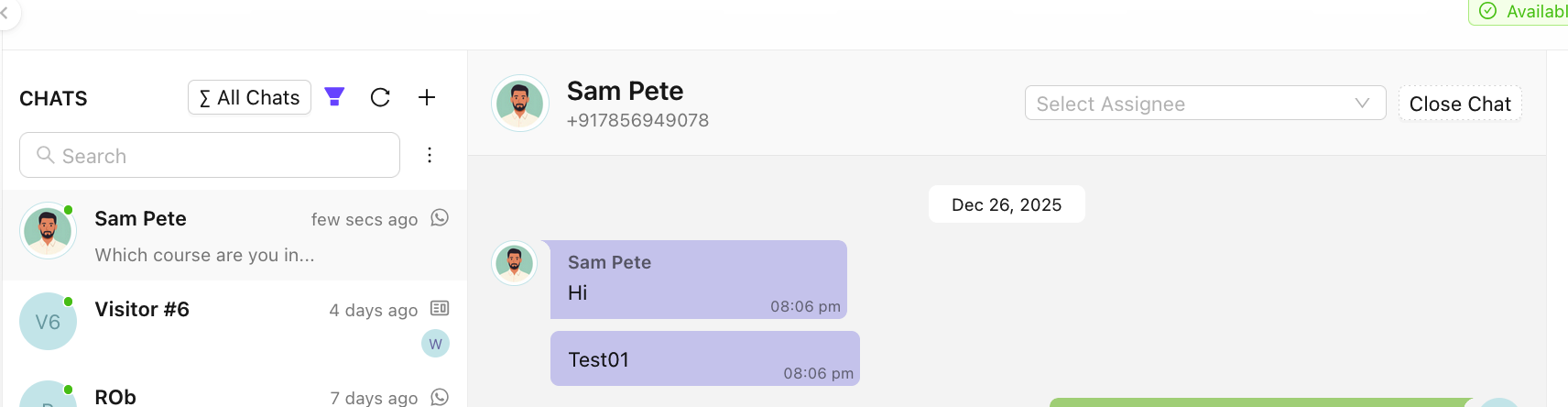
- At the top of the conversation (beside the Close Chat button), you’ll see a dropdown menu showing the current assignee or it would be blank in case of no assignee.
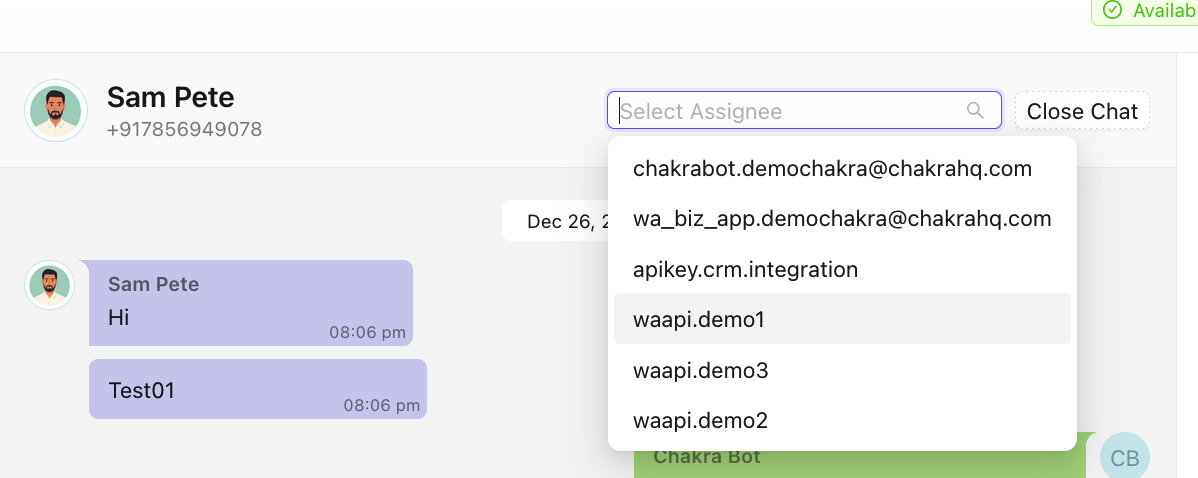
- Click the dropdown, select a team member from the list. The assignee will be updated instantly
This helps ensure the right person is handling the conversation and improves team collaboration.
Add spaces
Steps to add a new space in Chats
Add Chat Attribute
Chat Attributes in Chakra are like customizable fields you can add to a chat. They hold values tied to a conversation, helping you manage workflows and send personalized messages. You can also configure them as Chat Label with colourful labels to group chats for easy filtering and reporting. This guide details out how to add chat attributes or labels?