

Chat InboxOther Chat Inbox Features
Add Chat Attribute
Chat Attributes in Chakra are like customizable fields you can add to a chat. They hold values tied to a conversation, helping you manage workflows and send personalized messages. You can also configure them as Chat Label with colourful labels to group chats for easy filtering and reporting. This guide details out how to add chat attributes or labels?
Chat Attributes Overview
Steps to Create Chat Attributes
Follow these steps to create a new Chat Attribute:
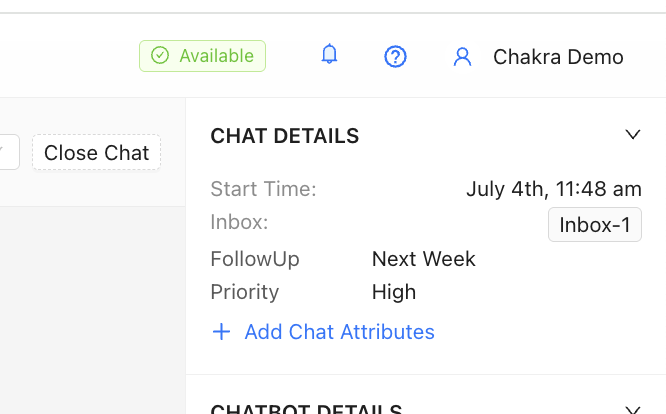
- Click
+ Add Chat Attributes.
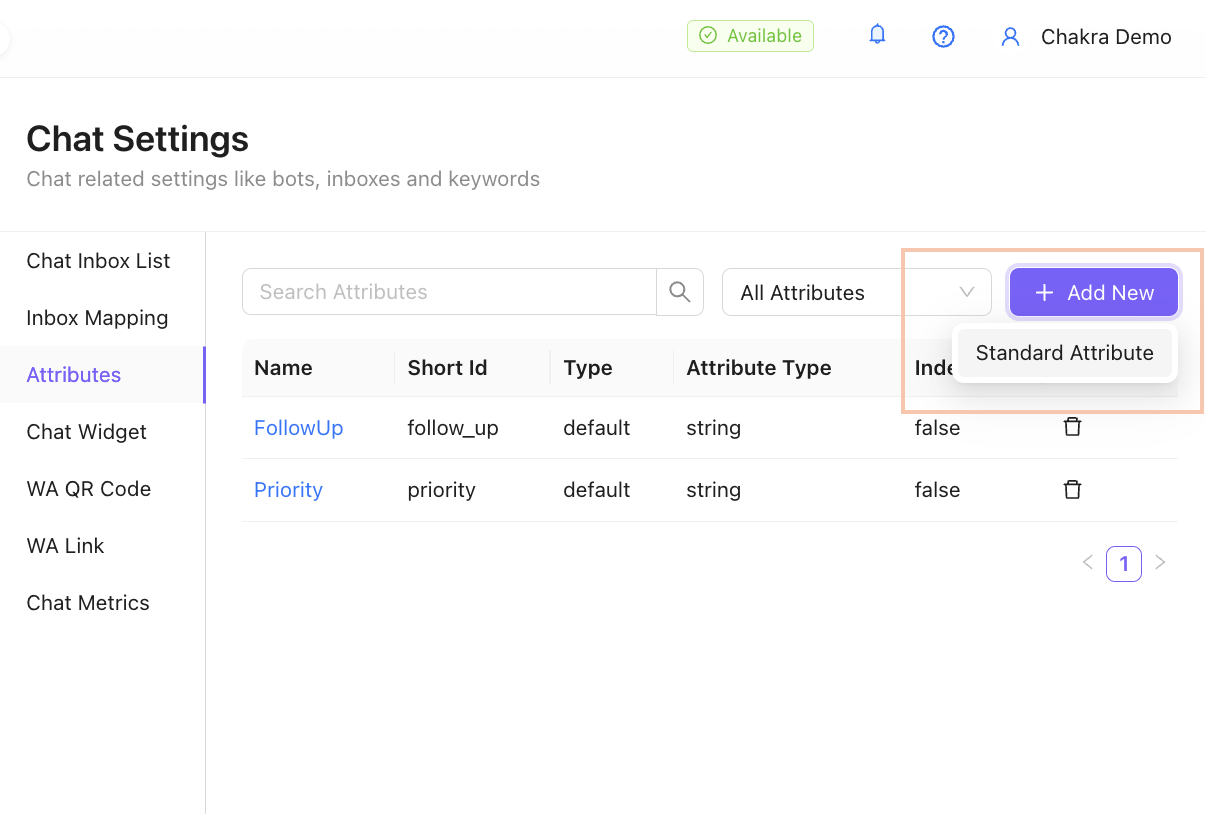
- Choose
Standard Attribute.
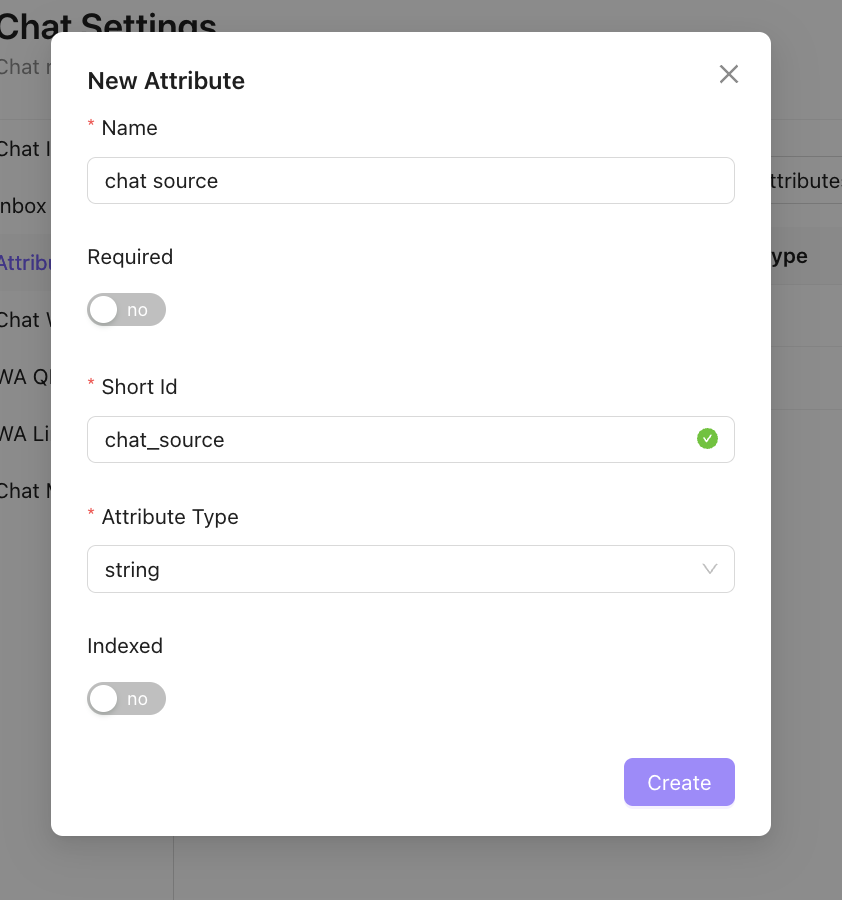
- Add the following details, then click
Create:
- Name 📝: A friendly name for your attribute (e.g., Delivery Preference).
- Short ID: Automatically populated (customize it with lowercase alphanumeric characters, no spaces).
- Attribute Type 🔢: Select the data type (e.g., String for basic text, Multistring for Label format with color, etc.).
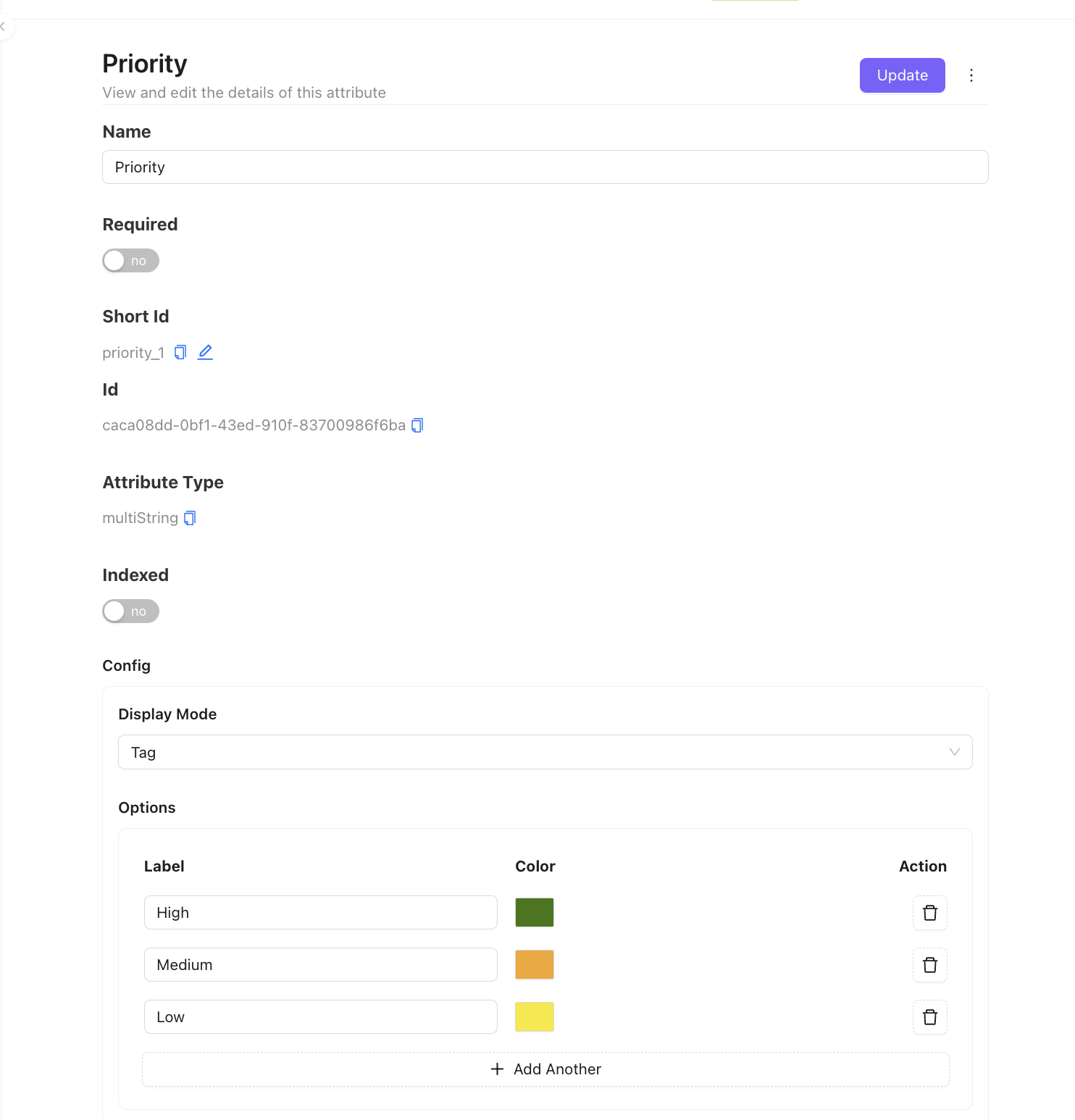
- Add Options in Multistring Type Attribute \[Optional]:
- Add an option to appear as a dropdown and choose a desired color. Click
Update.
For further assistance, refer to additional resources or contact support