

AI Agent & SettingsAI Setup
Create AI Reply Chatbot
Steps to create AI reply chatbot in Chakra Chat
Overview
Speed up your response time and improve accuracy using Chakra’s AI-reply feature. With AI, you can instantly generate smart replies to customer queries—powered by your configured content.
⚠️ Make sure you’ve set up your AI Content Sources before using this feature. Use the Add AI Content guide
Configure AI-reply in Builder
⚠️ Note: Learn about the Chatbot Basics and Creating a Chatbot if new to the Chatbot feature.
- Create a NEW Chatbot using the Chatbot Builder
- Create an AI Chatbot Flow with the following nodes:
- Message Node (default start)
- Question Node (with no inputs)
- AI-reply node
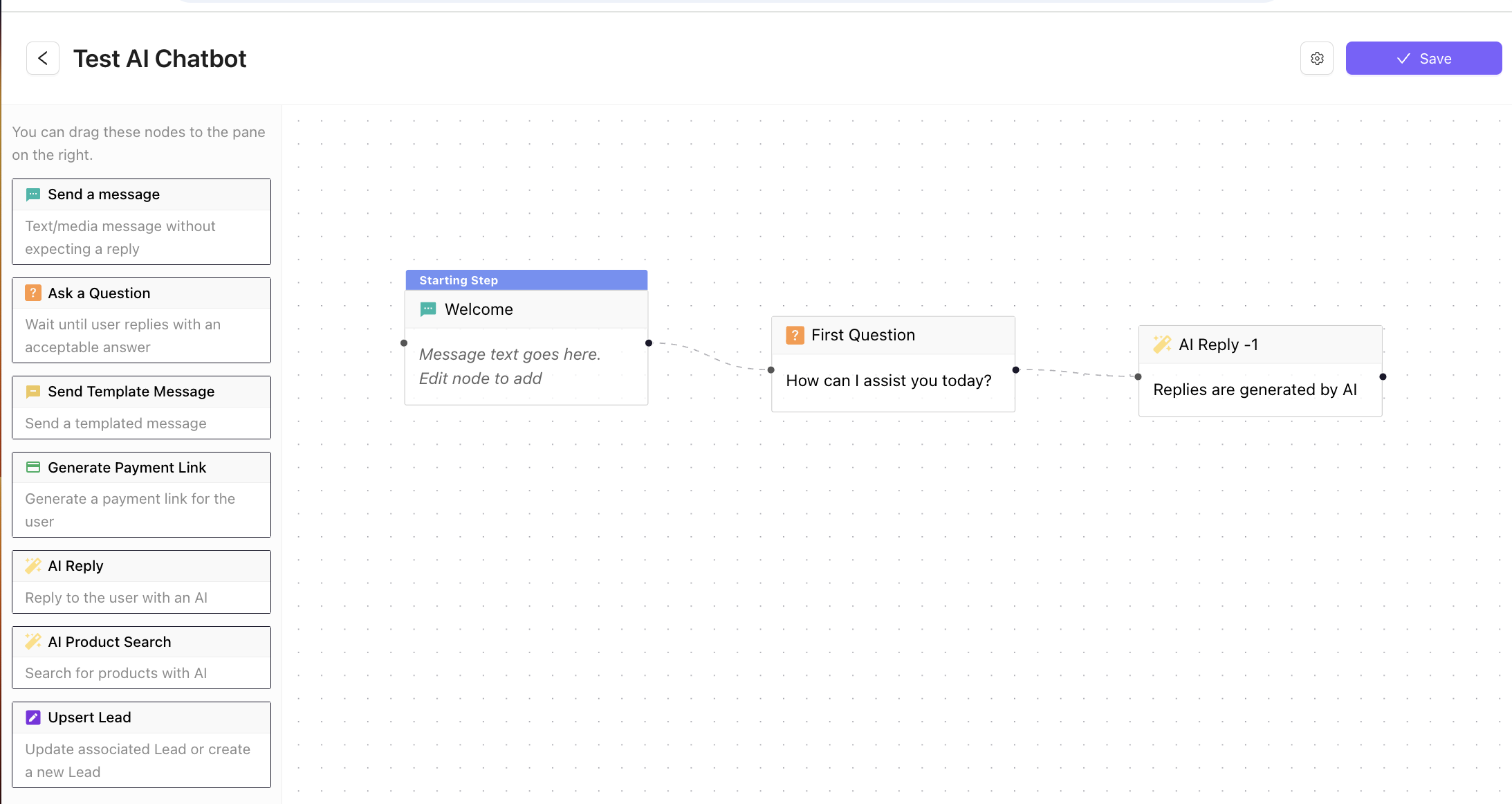
- Configure the AI-reply
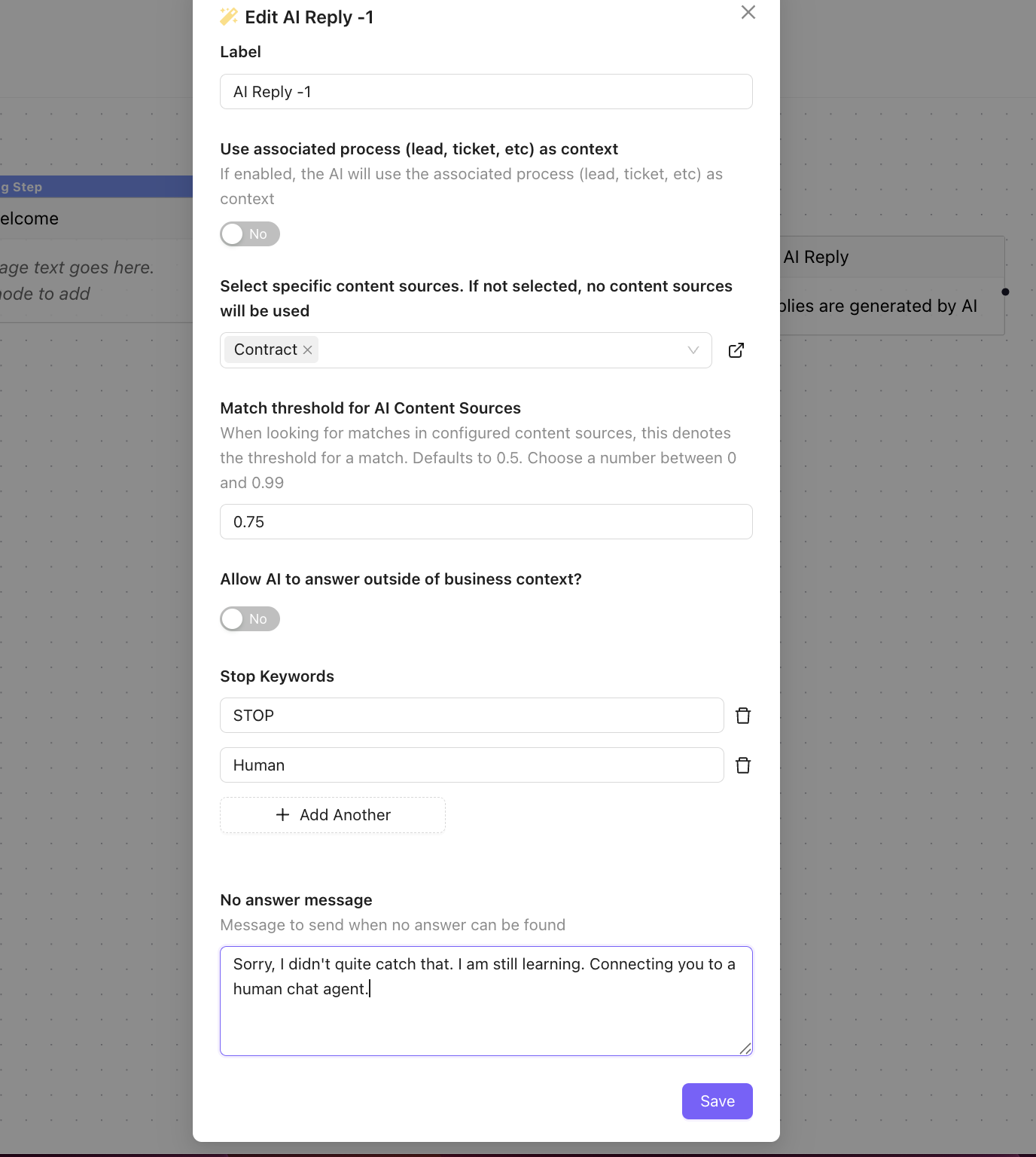
- Add Content Source, Match threshold for AI content, No answer message and other settings
- Click Save
- Add a Chatbot Trigger
- Use the Chat Trigger Help guide
AI-reply Chatbot is successfully configured.