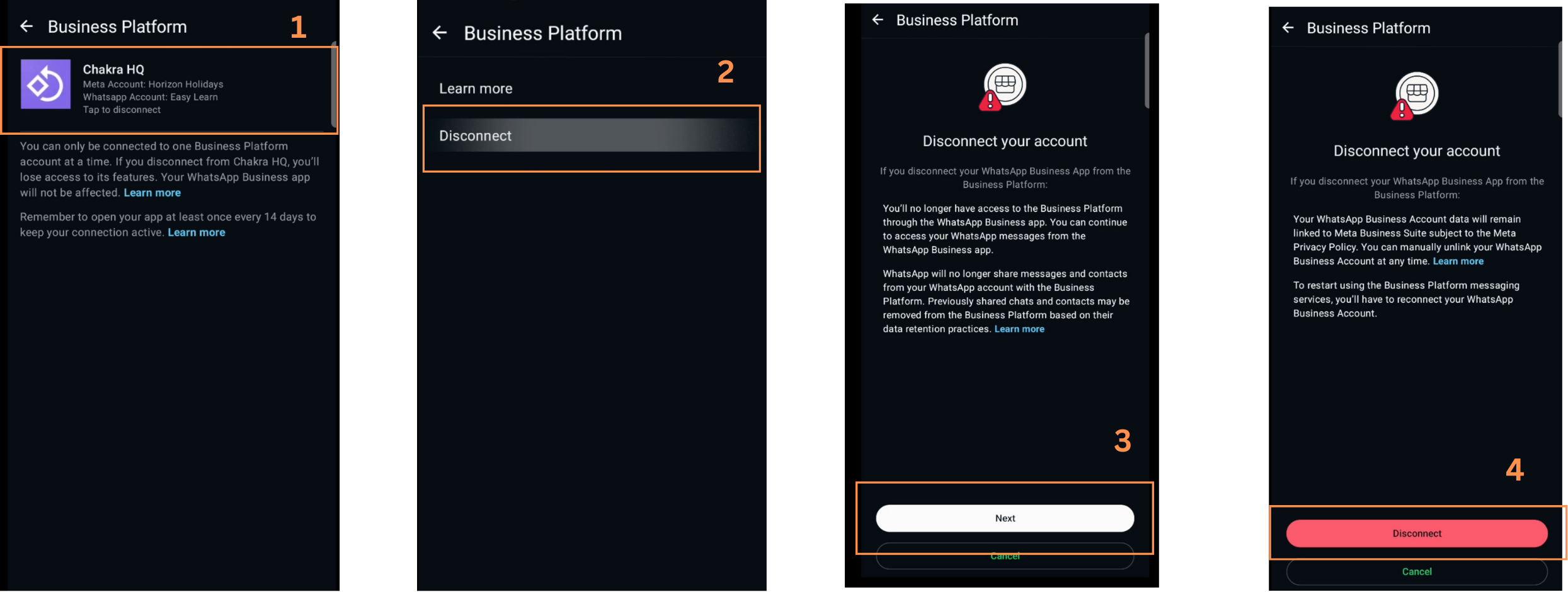
Account SetupOther Setup Settings
Disconnect WhatsApp (WABA)
The article outlines steps to disconnect your WhatsApp Business API (WABA) account from Meta Business Manager
Overview
Disconnect Connected WABA
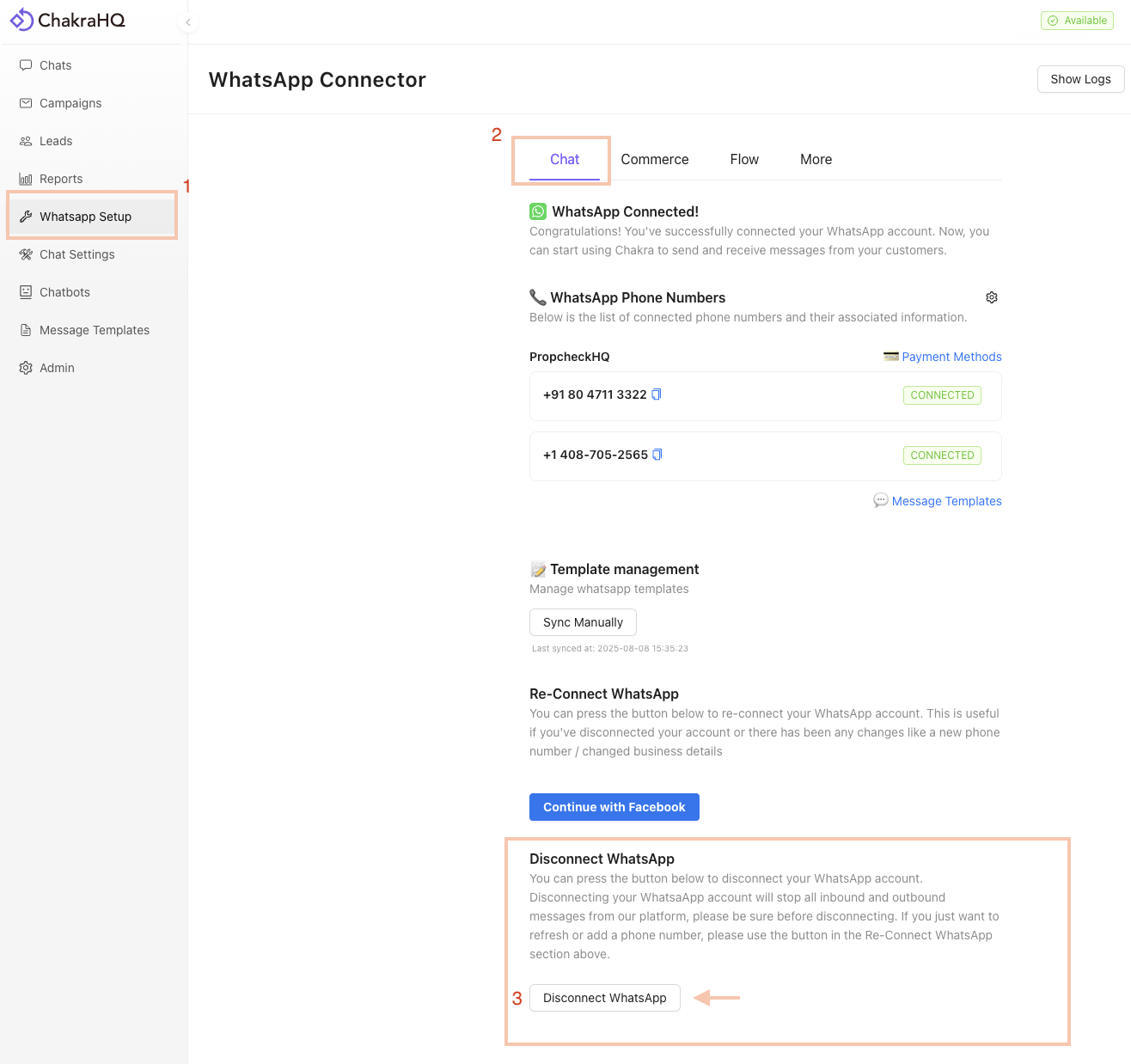
- Go to
WhatsApp Setupin the lest-side navigation bar. ⬇️ Scroll down to the bottom of the page - Click on
Disconnect WhatsAppto complete the disconnection process
Disconnect WhatsApp API Number
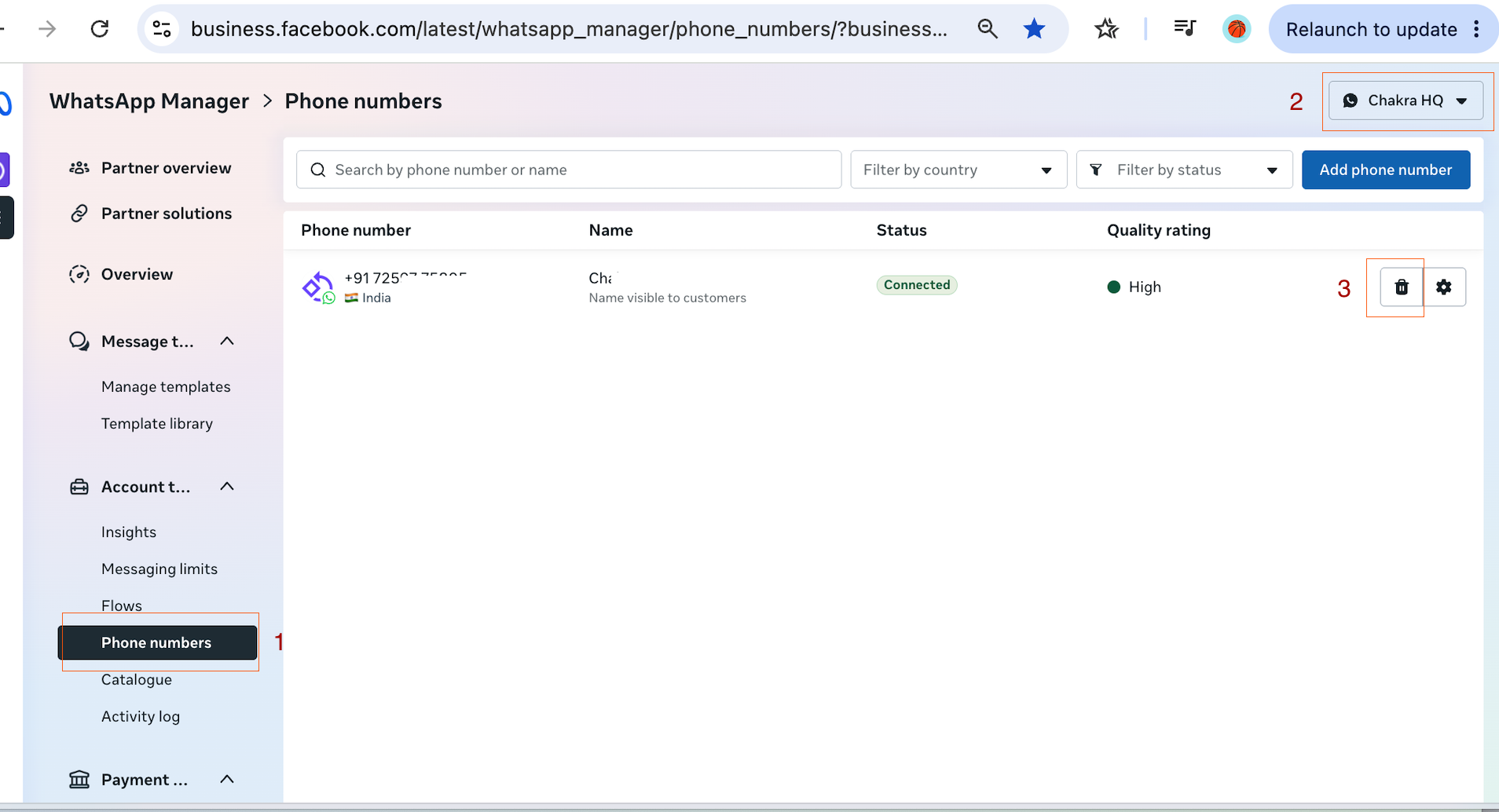
To disconnect only a particular number in a WABA connected to Chakra Chat. Follow the below steps:
- Go to Meta Business Manager Phone Numbers
- Choose the appropriate WABA account
- Click on 🗑️ delete icon and confirm the deletion.
- The number is deleted from your WABA and disconnected with Chakra Chat WhatsApp Business API
Disconnect WhatsApp Coexistence
The WhatsApp business platform in Coexistence mode can be disconected from your WhatsApp business app
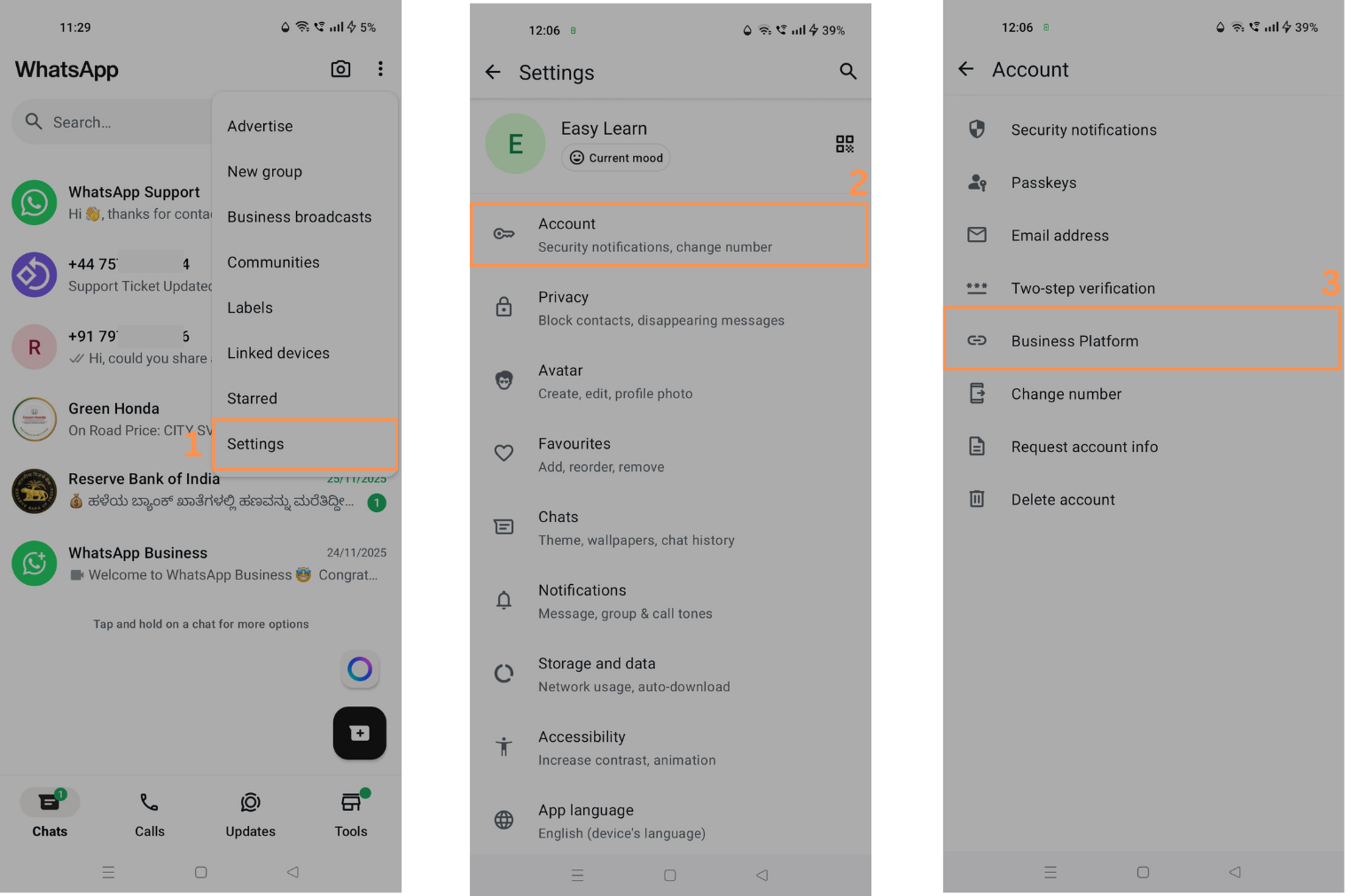
1. Access Coexistence in Business App
- Go to your WhatsApp Business mobile app. Click on
Settings->Account->Business Platform
2.Disconnect WhatsApp Business Platform
- You'll find ChakraHQ connected. Click on
Disconnect. Review it and complete the disconnection steps