

Account SetupOther Setup Settings
Re-Connect a Number
Re-connect a connected WhatsApp API Number
If you are facing issue of WhatsApp API number disconnected in Chakra, try re-connectinf using the instructions below:
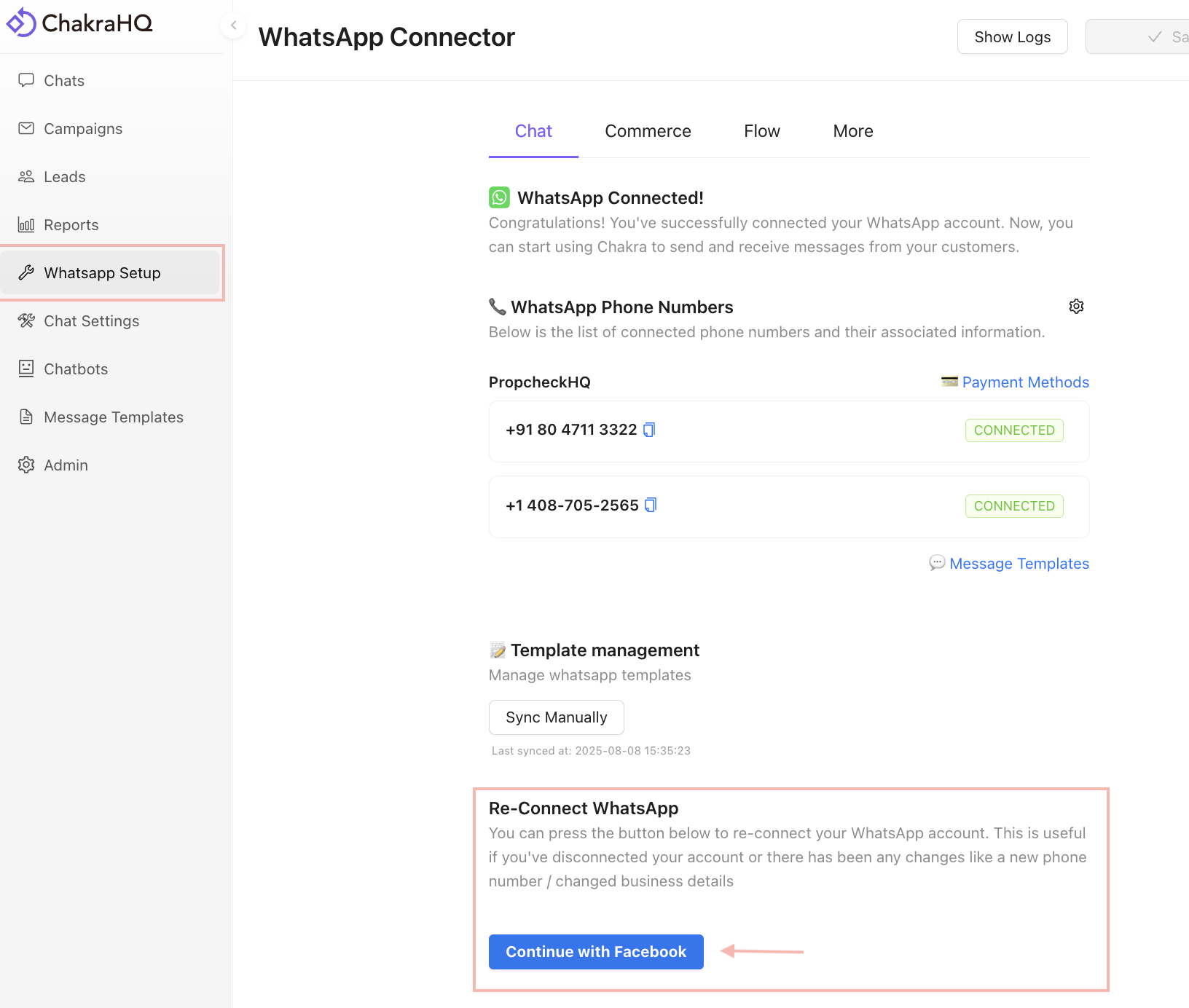
Go to WhatsApp Setup
Go to 👉 WhatsApp Setup
In the ReConnect WhatsApp section click on Continue with Facebook
Connect an Existing Number
In the embedded Signup steps
Start Onboarding
In the Embedded signup, Seamlessly connect your account to Chakra HQ click on Continue
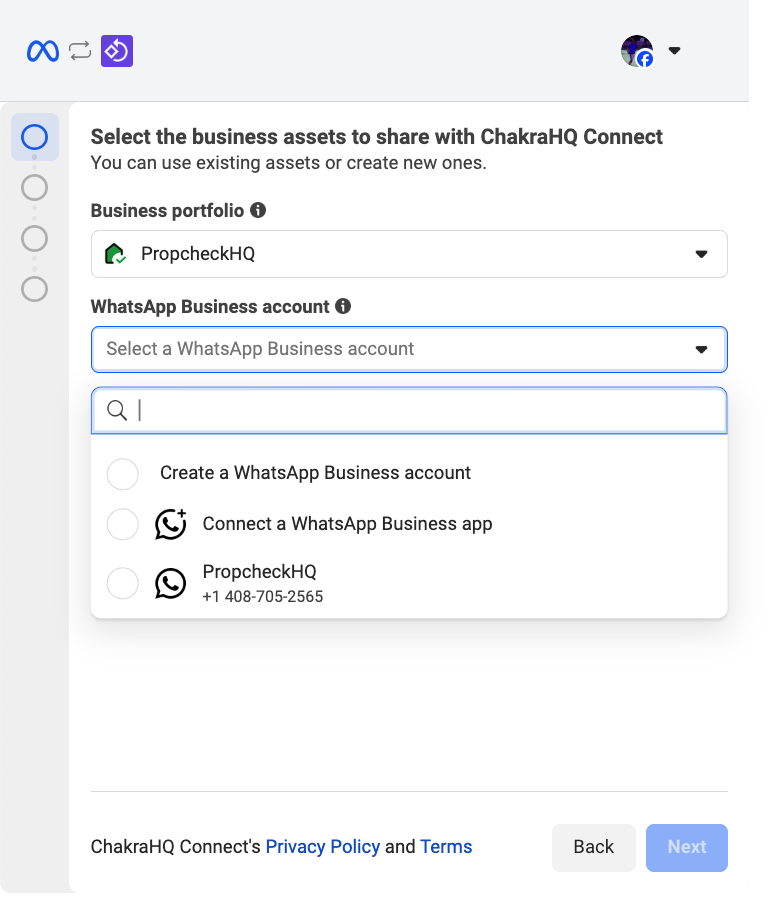
Select Existing WABA
In the Select the business assets to share with ChakraHQ Connect section,choose appropriate portfolio and the existing WhatsApp Business Account in the dropdown
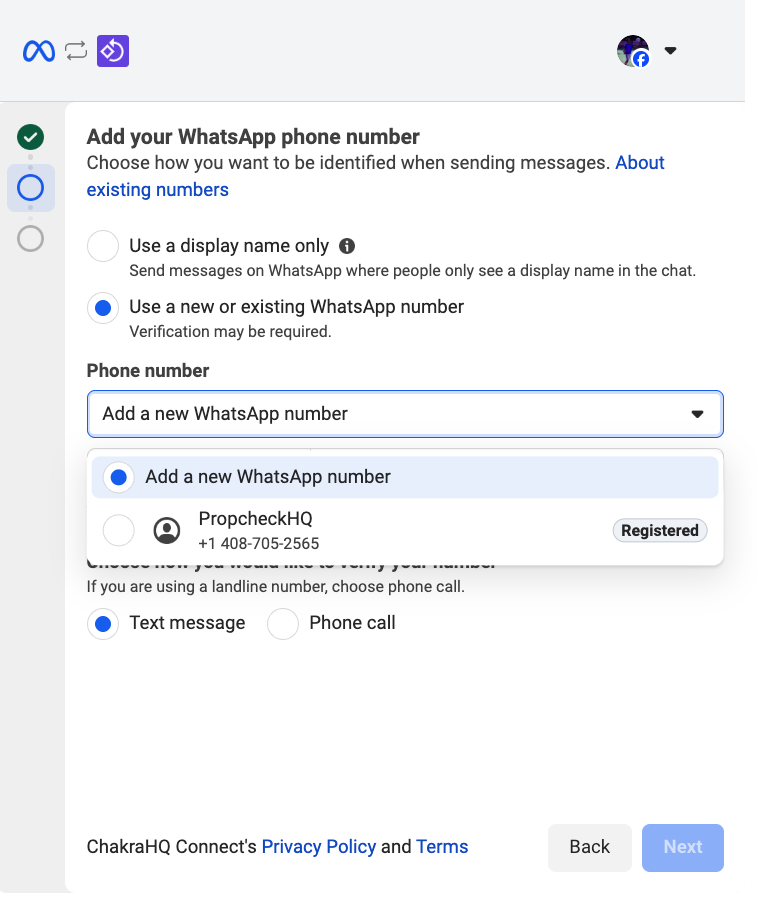
Select Existing Phone Number
In the Add your WhatsApp phone number section, choose Use a new or existing WhatsApp number option and in the phone number field, use the existing number.
Confirm Connection
In the Review what you'll share with ChakraHQ Connect section, click on Confirm