

Getting StartedSetup WhatsApp Account
Step 3: Verify WhatsApp Account Setup
Verify if your WhatsApp account is setup properly
Overview
Get quick verification checks of the setup
WhatsApp Setting: Confirm the following
- \[If applicable] Business verification
- Account Status
- Payment Method
- Display Name
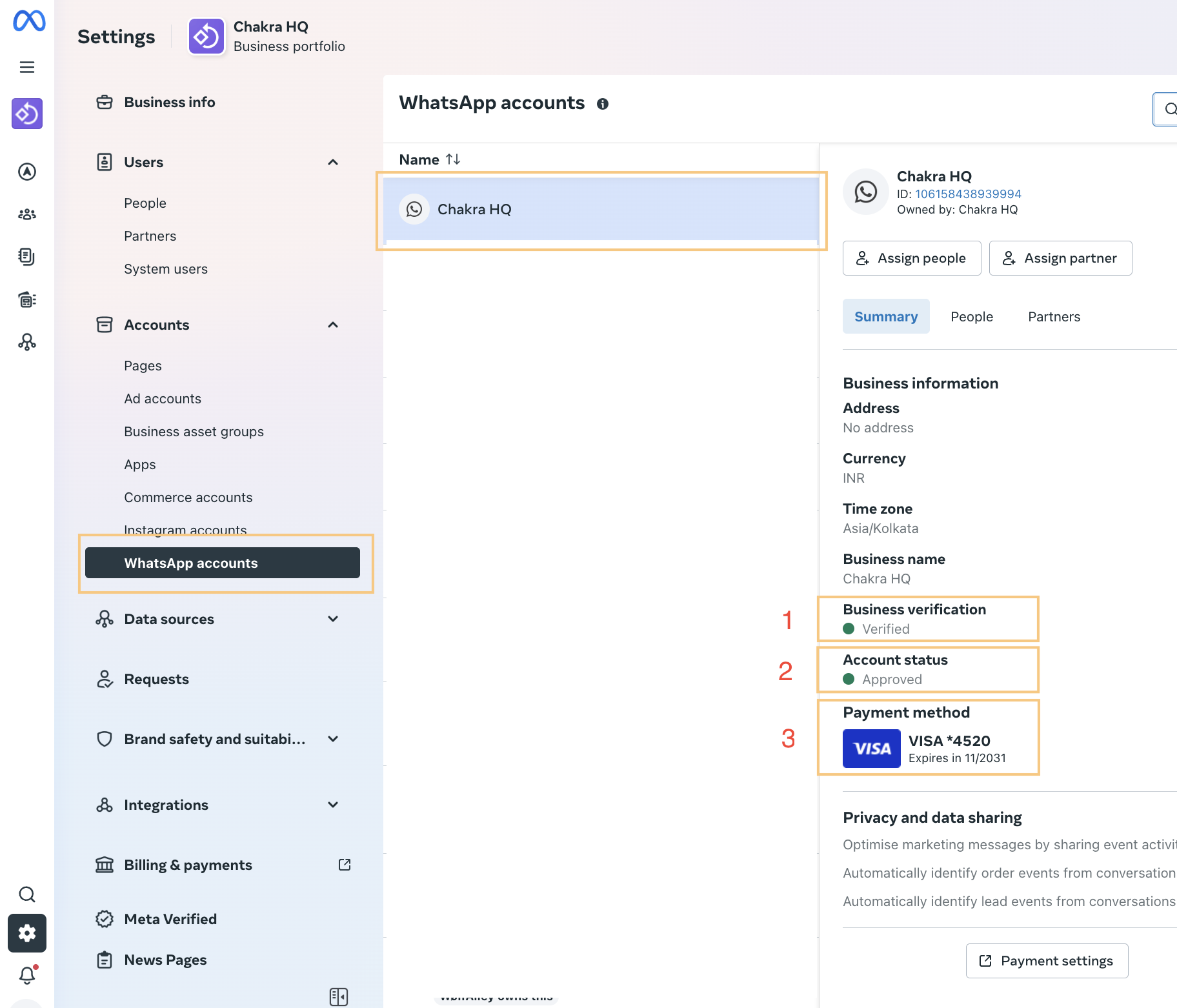
Step 1: Check Status in WhatsApp Settings
Go to 👉 Facebook Business - WhatsApp Settings
- Click on WhatsApp accounts and select the relevant WhatsApp account. Check Status:
- Business verification
- Account status
- Payment method
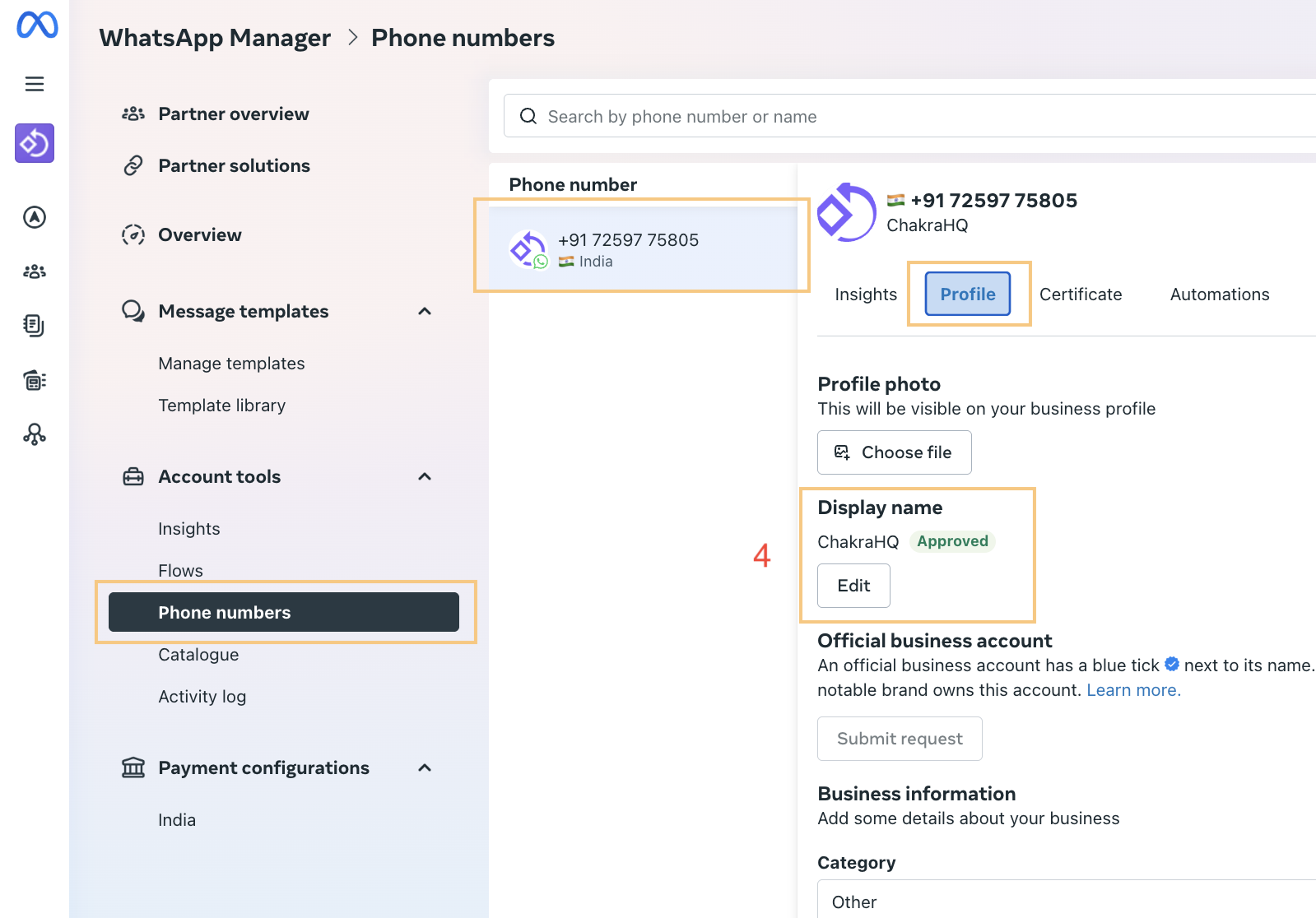
Step 2: Check Status in WhatsApp Manager
Go to 👉 WhatsApp Manager - Facebook Business
- Click on Phone numbers and select the relevant phone number, and go to the Profile tab
- Check the Display name status
Step 3: Update Business Information
Go to 👉 WhatsApp Manager - Facebook Business
- Update the following Details in the Business Info section of the WABA Profile:
- Category
- Description
- Address
- Website
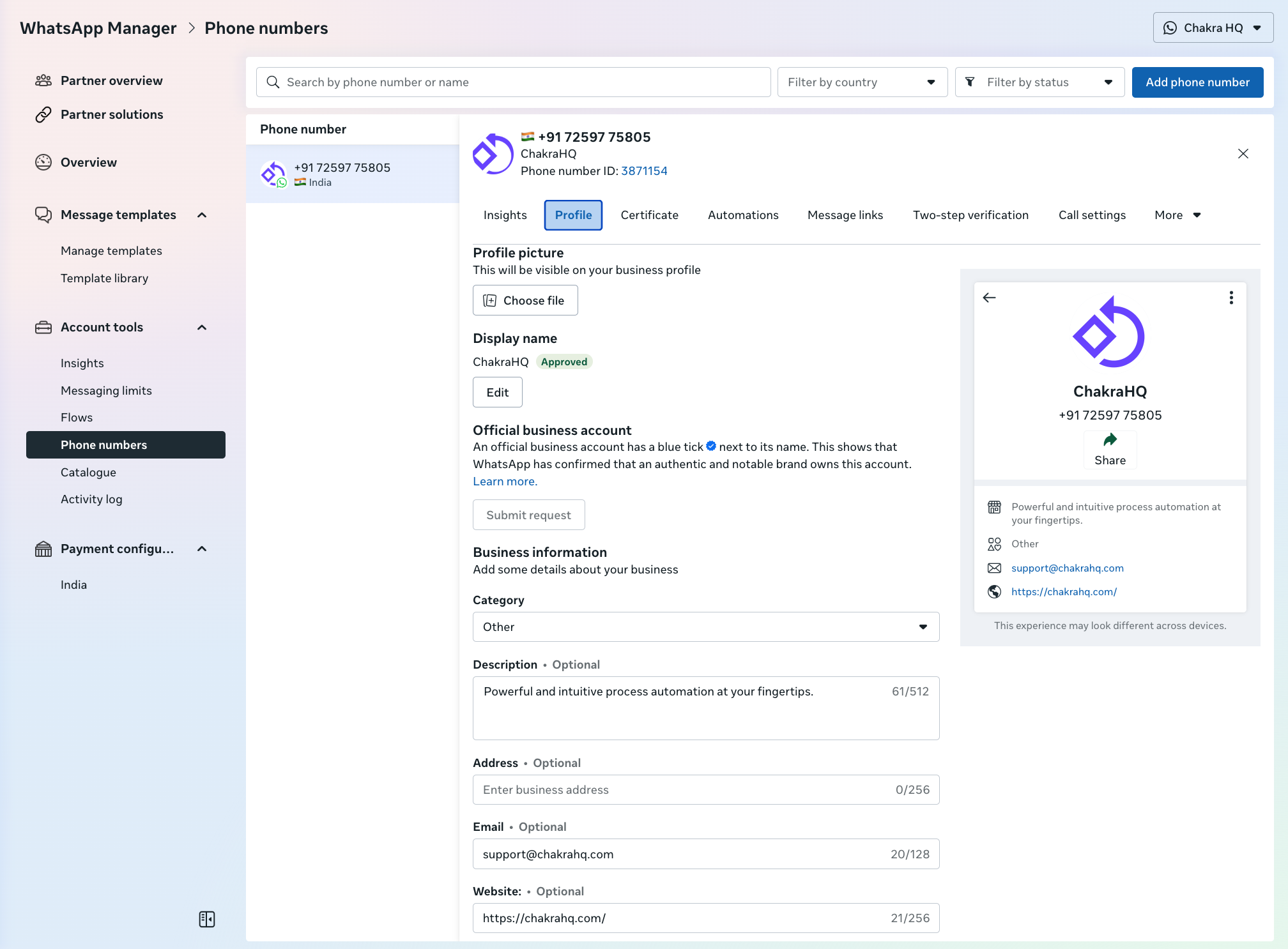
Please Note: The Website field is important for account verification. Please add any website/other online business pages like Facebook/Instagram/Marketplace listing page links.
End: If you encounter any WhatsApp setup-related issues or status not verified, please reach out to Chakra at support@chakrahq.com